The offerings and options for Endpoint Detection and Response (EDR) and Extended Detection and Response (XDR) for workstations and servers is well established, including Managed Detection and Response (MDR) managing it externally.
Mobile EDR Current State
But with so many of us modern world folks working from and accessing work assets and communications from our mobile phones, has EDR and XDR for mobile kept up? At SEIRIM we've scratched our heads on many occasions wondering why we don't have more options that jump out at us as the clear choice for our use cases for mobile, and here we explore why and what the current best choices are in the market.
To be sure - fully fledged solutions do exist and we detail them here. But our use case is often in the range of "SME that either opts for an open source or inexpensive option, something bootstrapped, but if it's just too expensive they'll just choose nothing." Well, we don't want our clients heading out into the world without protection, so we study, test and recommend here the solutions we think are the best bang for the buck.
What are our Goals for EDR?
- Enhanced Threat Detection: EDR solutions help identify malicious activity and potential threats on mobile devices in real-time. These solutions provide advanced detection capabilities, such as anomaly detection, behavioral analysis, and signature-based methods, to spot threats like malware, phishing, and unauthorized access attempts.
- Comprehensive Endpoint Visibility: With employees increasingly working remotely and using mobile phones for work, having full visibility into mobile devices' activities becomes crucial. EDR provides centralized monitoring of all devices, ensuring that security teams have detailed insights into potential vulnerabilities or attack vectors across all mobile endpoints.
- Rapid Incident Response: When an incident occurs on a mobile device, EDR, XDR, and MDR solutions provide automated response mechanisms, such as isolating the device, blocking malicious processes, or even remotely wiping compromised devices. This ensures quick containment and prevents the spread of threats across the network.
- Data Protection: Mobile phones are prone to data breaches, especially when employees access sensitive company data from unsecured or public networks. EDR solutions help to enforce security policies, such as encryption, secure access controls, and data loss prevention (DLP), to protect sensitive business information on mobile devices.
- Advanced Threat Intelligence: By leveraging threat intelligence feeds and security data from across the enterprise network, XDR and MDR solutions provide actionable insights into emerging threats. This information helps security teams proactively address vulnerabilities and threats that could target remote workers’ mobile devices.
- Behavioral Monitoring: These solutions use behavioral analytics to detect unusual activities on mobile devices, such as unauthorized access attempts, risky app installations, or abnormal data transfers. This proactive approach helps to catch sophisticated threats that might otherwise go undetected.
- Reduced Security Blind Spots: In remote and hybrid work environments, employees often use mobile devices to access corporate resources. EDR solutions eliminate potential security blind spots by continuously monitoring all devices, regardless of location, and ensuring consistent protection across the enterprise.
- Automated and Scalable Security: As the number of remote workers grows, managing the security of each mobile device manually becomes challenging. EDR, XDR, and MDR solutions provide automated security management, including patching, updates, and threat responses, ensuring that the security infrastructure scales with the growing workforce.
- Compliance and Regulatory Requirements: Many industries have strict compliance requirements for protecting mobile data, especially for remote work. EDR, XDR, and MDR solutions help organizations meet these regulatory standards (e.g., GDPR, HIPAA) by ensuring that mobile devices are adequately secured and monitored.
- Centralized Management: With a centralized security management console, IT and security teams can easily monitor, manage, and analyze security events across mobile devices. This simplifies incident management and response, reducing the time and effort needed to address security threats.
In essence, implementing these solutions on mobile phones enhances overall mobile device security, supports a strong remote work policy, and minimizes the risk of a security breach affecting the organization’s digital infrastructure.
EDR Solutions in Our Test:
There are actually many, but we narrowed the list down here to ones that appealed to us as being approachable for implementation, priced within reasonable ranges, and up to date and from reputable firms:
- Sophos Intercept X
- WithSecure Elements Mobile Protection
- Trend Vision One
- Xcitium
Sophos Intercept X for Mobile
Sophos Intercept X for Mobile provides a lightweight yet capable approach to managing mobile threats and enforcing corporate security policies across Android and iOS devices. Built with ease of use in mind, it integrates seamlessly into Sophos Central, the cloud-based console that consolidates management of all Sophos products in a single interface. This centralization makes it easier for IT teams to oversee mixed device environments without having to juggle multiple administrative tools.
During testing on both Android and iOS, the app proved straightforward to deploy and configure. It is clearly designed to extend Sophos’ desktop and network security capabilities into the mobile space, ensuring that mobile endpoints adhere to the same security expectations as other corporate devices.
Below are key screenshots from the test run on both Android and iOS:
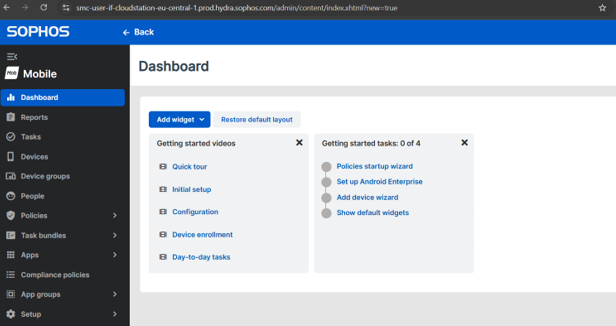
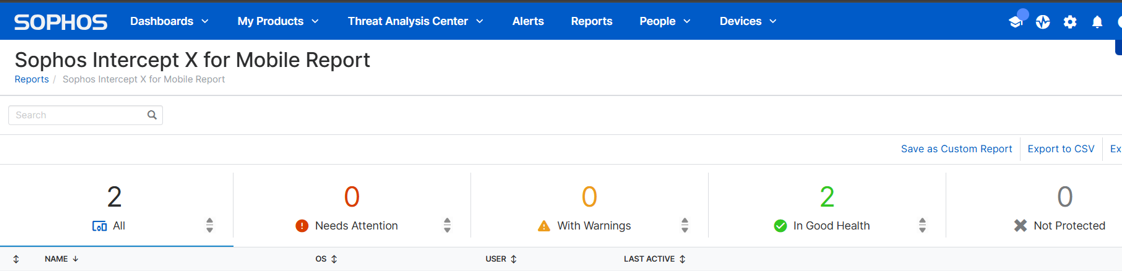
- Sophos Intercept X for Mobile Report
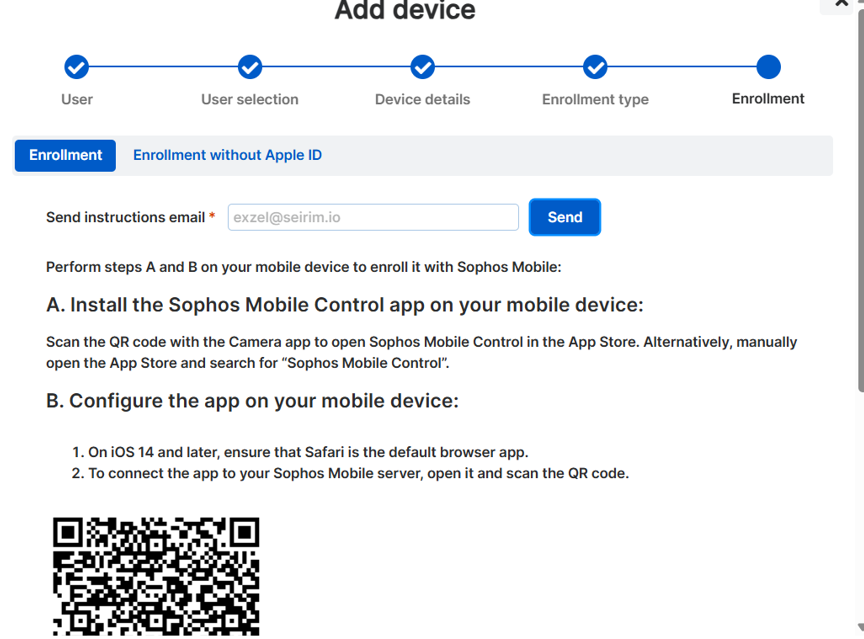
- Mobile Device Enrollment View Process in Sophos Mobile
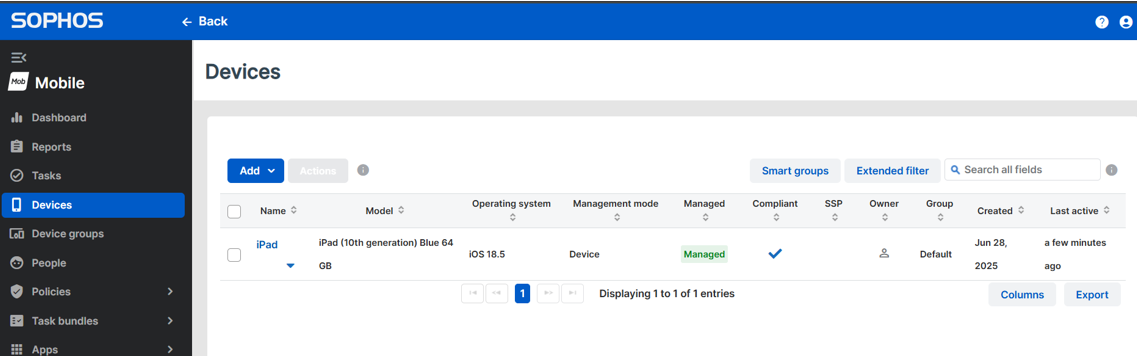
- Confirmation of a Successful Mobile Device Enrollment
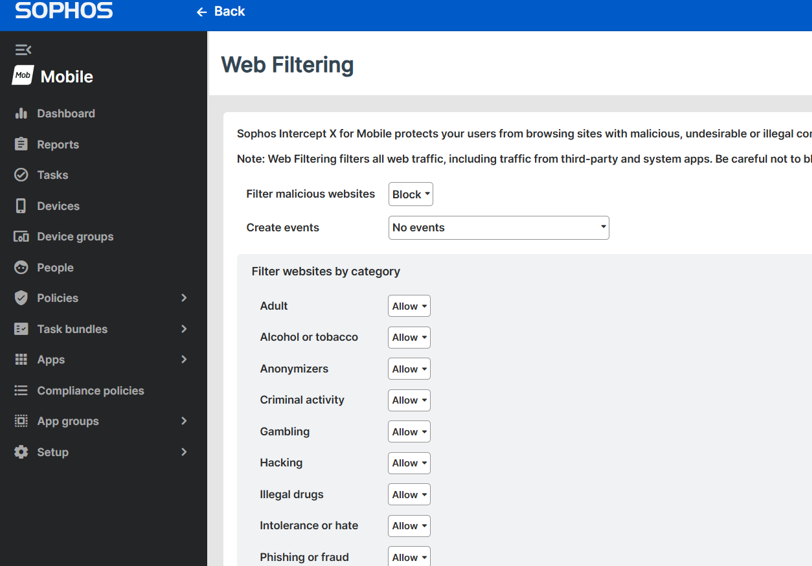
- Web Filtering Policy Applied to Mobile Endpoints
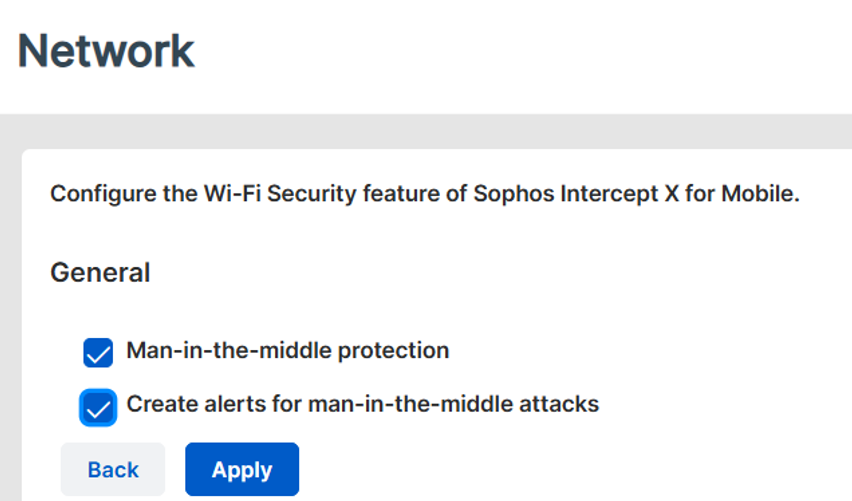
- Network Protection Configuration
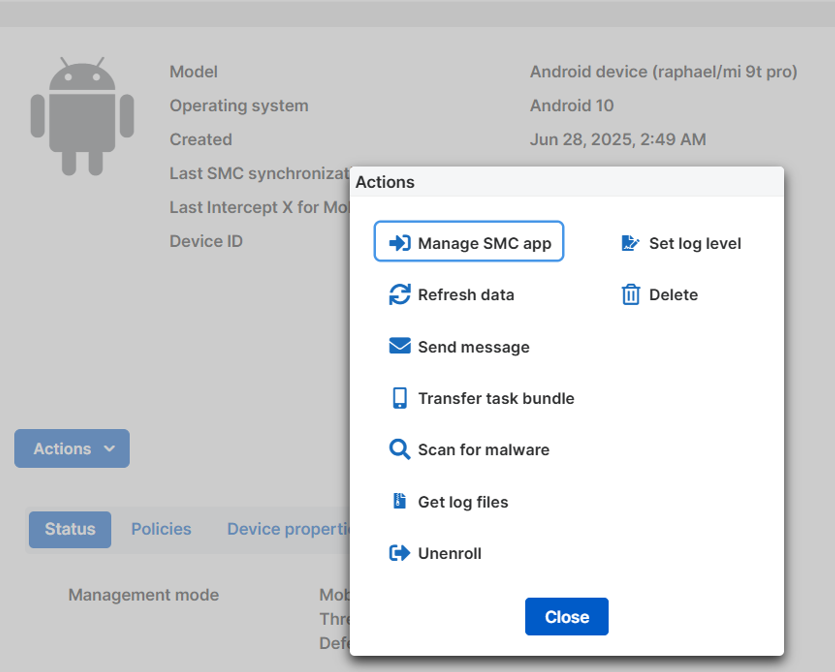
- Available Remote Actions for Android Devices
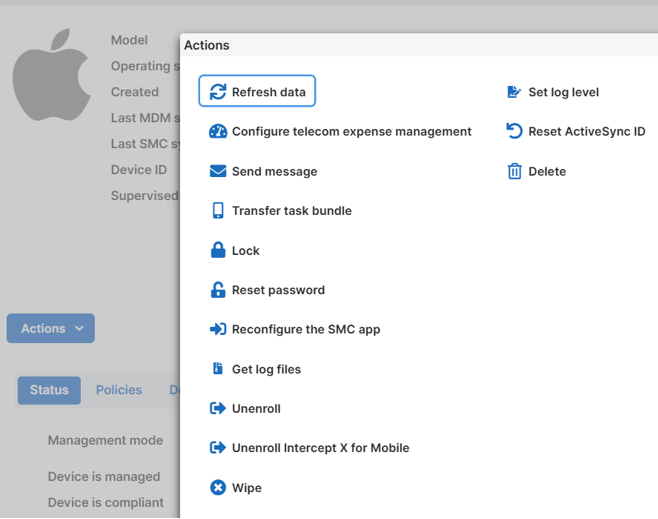
- iOS Device Actions Limited by OS Restrictions
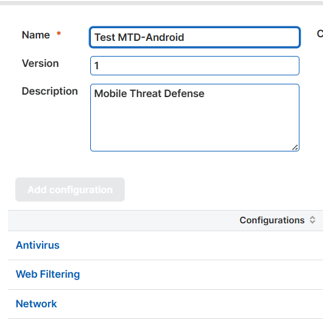
- Custom Android Security Policy Settings
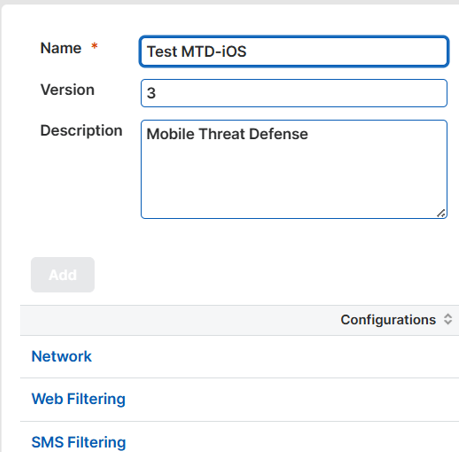
- iOS Custom Security Policy Setting
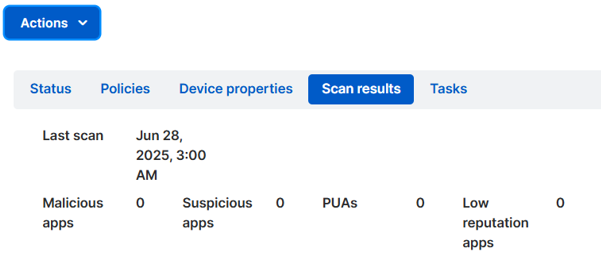
- Sample Malware Scan Results from an Android Device
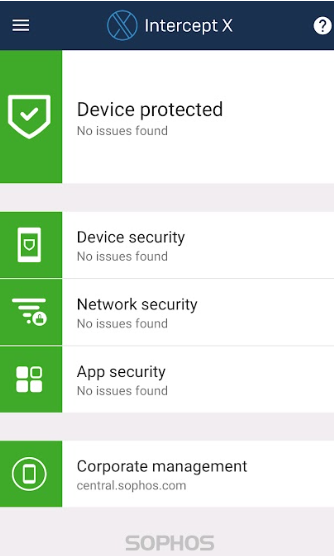
- User Interface of the Sophos Intercept X Mobile App
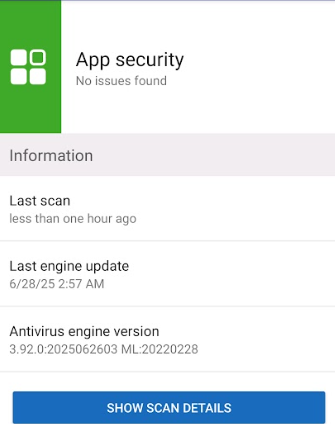
- Mobile App Security Details Showing the Latest Malware Scan, and Antivirus Engine Version
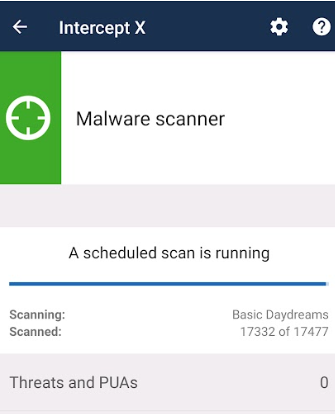
- Malware Scanner Showing a Scheduled Scan is Currently Running
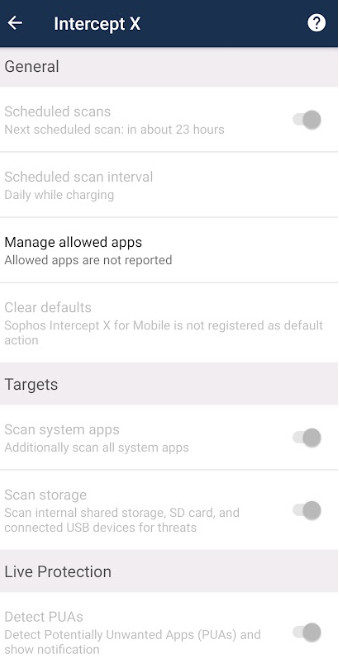
- Sophos Intercept X Mobile App General Settings
Sophos Intercept X Pros
- Unified Endpoint Management: A single platform for managing iOS, Android, Windows, and macOS devices, ensuring consistent policy enforcement across the organization.
- Web Filtering: Actively blocks access to malicious or inappropriate website categories, performing particularly well on Android during testing.
- Network Threat Protection: Detects suspicious network activity, such as man-in-the-middle attacks, to help secure connections on untrusted networks.
- Centralized Management: From Sophos Central, administrators can apply policies, push updates, track threats, and remotely scan, lock, or wipe devices when necessary.
- Policy-based Compliance Enforcement: Devices that fall out of compliance can be flagged or even restricted from accessing corporate resources, reducing risk exposure.
- SMS Filtering (iOS): Allows administrators to define domain names for the SMS Filtering feature, helping detect and block malicious links received through text messages.
Sophos Intercept X Cons
- No malware scanning on iOS: Due to Apple’s restrictions, iOS devices cannot be scanned for malware in the same way as Android devices.
- No advanced EDR/XDR capabilities on mobile: Lacks behavioral analysis, proactive threat hunting, and live response capabilities found in desktop EDR solutions, positioning it closer to a Mobile Threat Defense (MTD) tool.
- Android-only Malware Scanning: Real-time scanning for apps and sideloaded files is only available on Android; iOS relies on configuration policies and network-based monitoring.
- SMS filtering not available on Android: Unlike iOS, there is no SMS filtering option for Android devices in the policy settings.
Sophos Intercept X Summary
Sophos Intercept X for Mobile is well-suited for organizations looking to extend consistent baseline security across mobile devices, particularly if they already operate within the Sophos ecosystem. Its centralized control through Sophos Central simplifies management for IT teams, and its capabilities, such as web filtering, network threat detection, and compliance enforcement, cover many of the core needs for securing mobile endpoints.
However, as with many mobile security tools, platform limitations mean iOS devices miss out on features like direct malware scanning, and the product lacks the deeper investigative and response capabilities of a full EDR/XDR solution. Android users benefit from stronger on-device protections, such as real-time app scanning, while iOS users rely more on configuration-based safeguards and network monitoring.
In short, Sophos Intercept X for Mobile is a dependable MTD solution that integrates smoothly into a broader security strategy, offering a balance between ease of deployment, centralized oversight, and essential protection. For organizations requiring more advanced mobile forensics or active threat hunting, pairing it with a specialized mobile EDR tool may be worth considering.
WithSecure Elements Mobile Protection
WithSecure Elements Mobile Protection (formerly known as F-Secure Business) is a cloud-managed security solution aimed at protecting both Android and iOS devices from a variety of mobile threats, including malware, phishing attempts, and access to harmful websites. It leverages real-time threat intelligence from the WithSecure Security Cloud to deliver protection that is both proactive and adaptive. A key capability is its network-level browsing protection, which works seamlessly across all browsers by blocking malicious or inappropriate content before it loads. This is done without noticeably affecting device performance or draining battery life, making it a practical option for continuous background protection.
From an IT management perspective, the solution provides centralized control via the WithSecure Elements Security Center. Here, administrators can enforce security policies, monitor deployments, review detailed threat reports, and quickly adapt configurations to evolving risks. Deployment is straightforward directly from the Security Center. The app is designed to be lightweight, easy to roll out, and consistent across platforms, with notable iOS-specific integration for Safari, ensuring that protection is not browser-dependent.
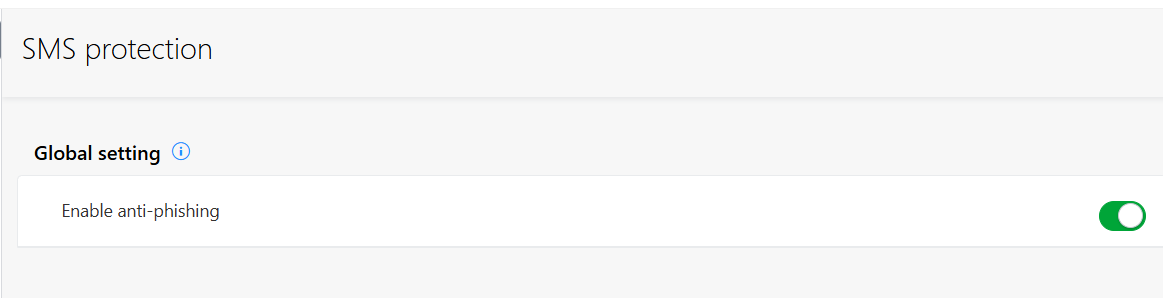
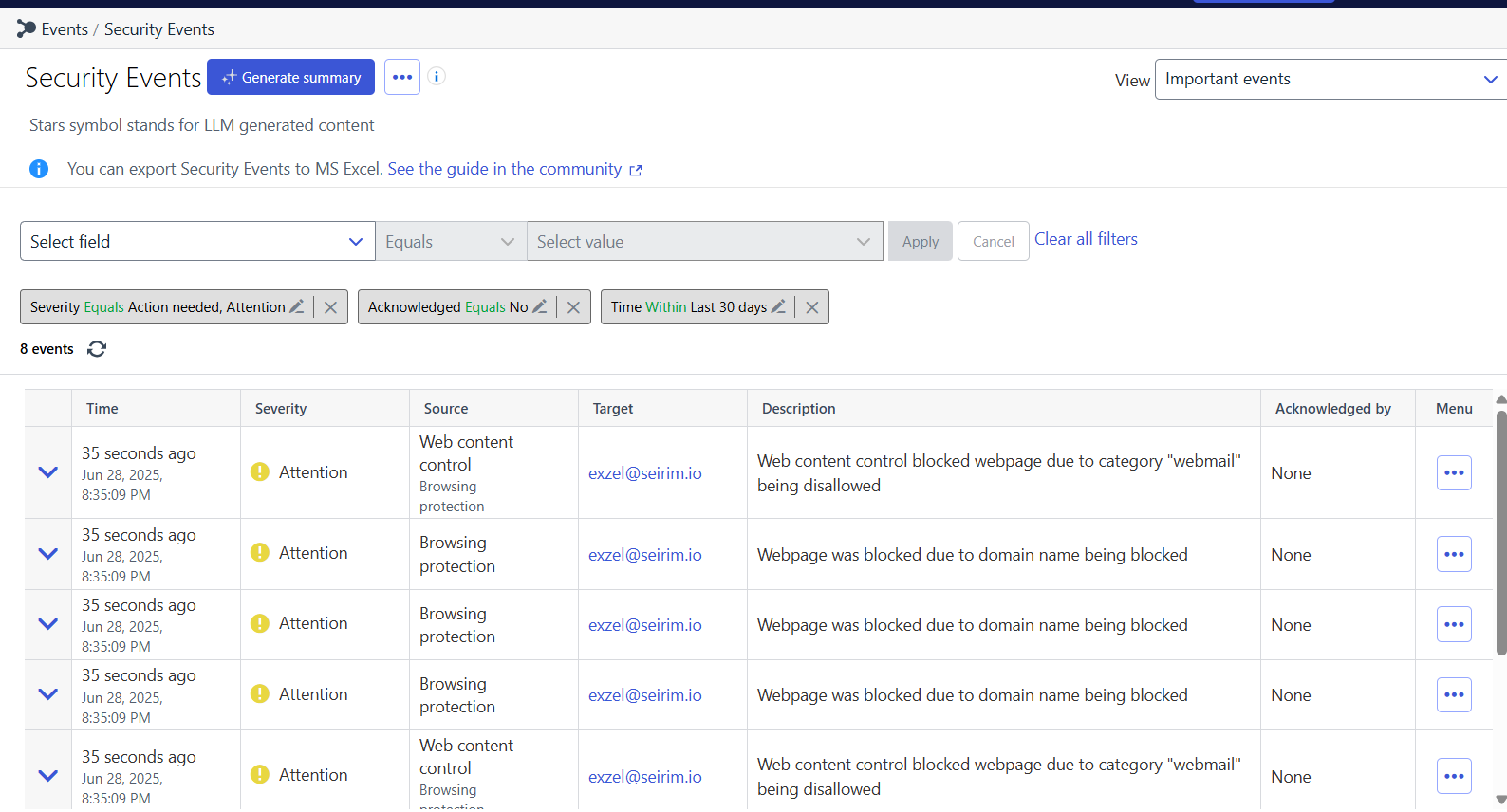
Below are key screenshots from the test run on both Android and iOS:
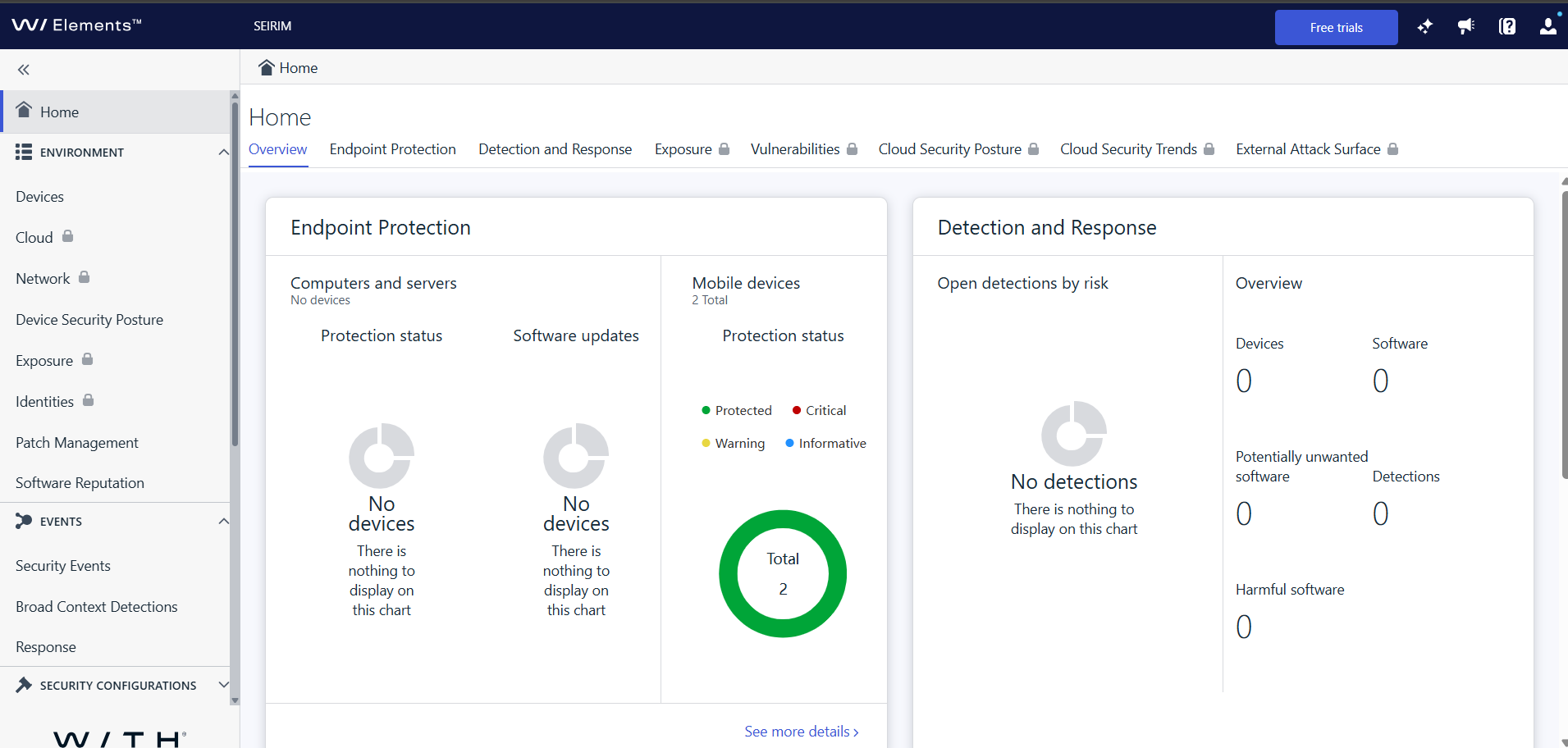
- WithSecure Elements Homepage
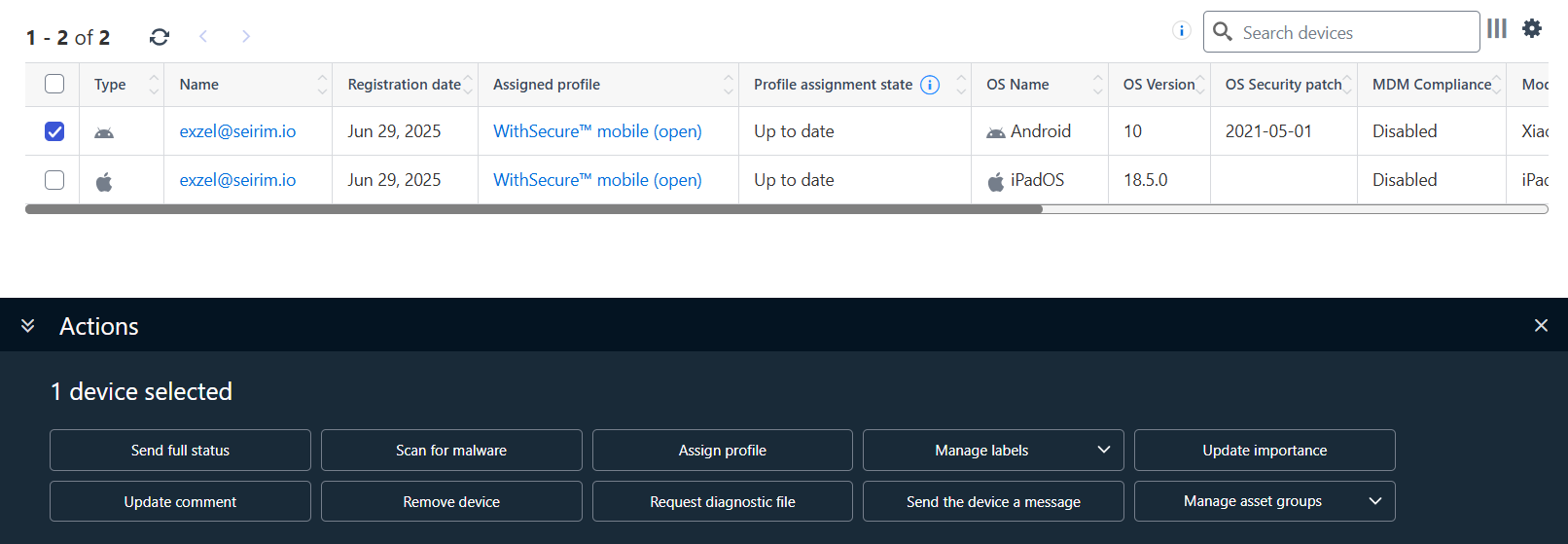
- Actions Available for Enrolled Android Device
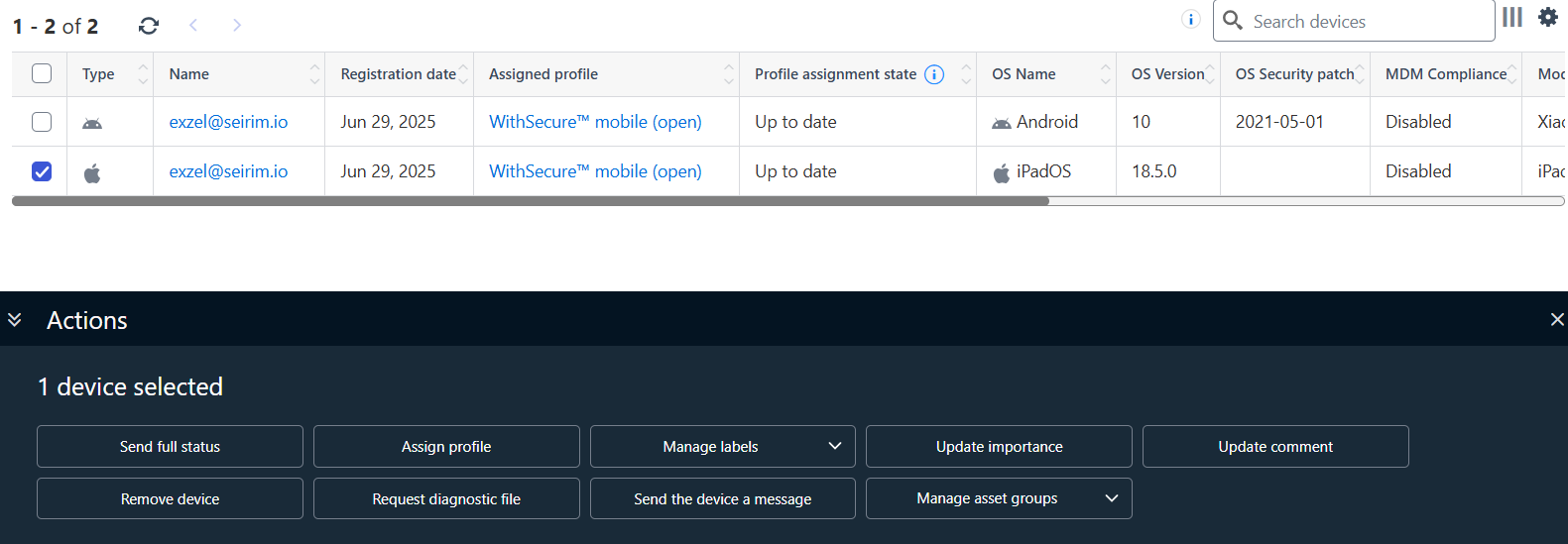
- Actions Available for Enrolled iOS Device
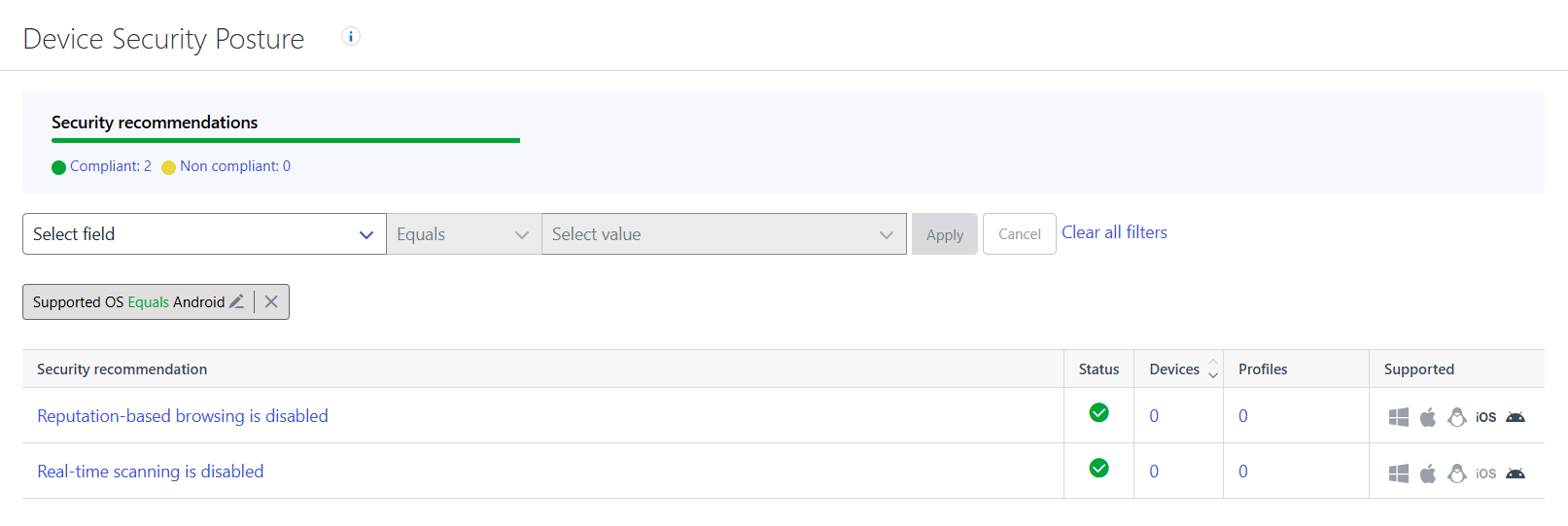
- Available Device Security Posture for Android
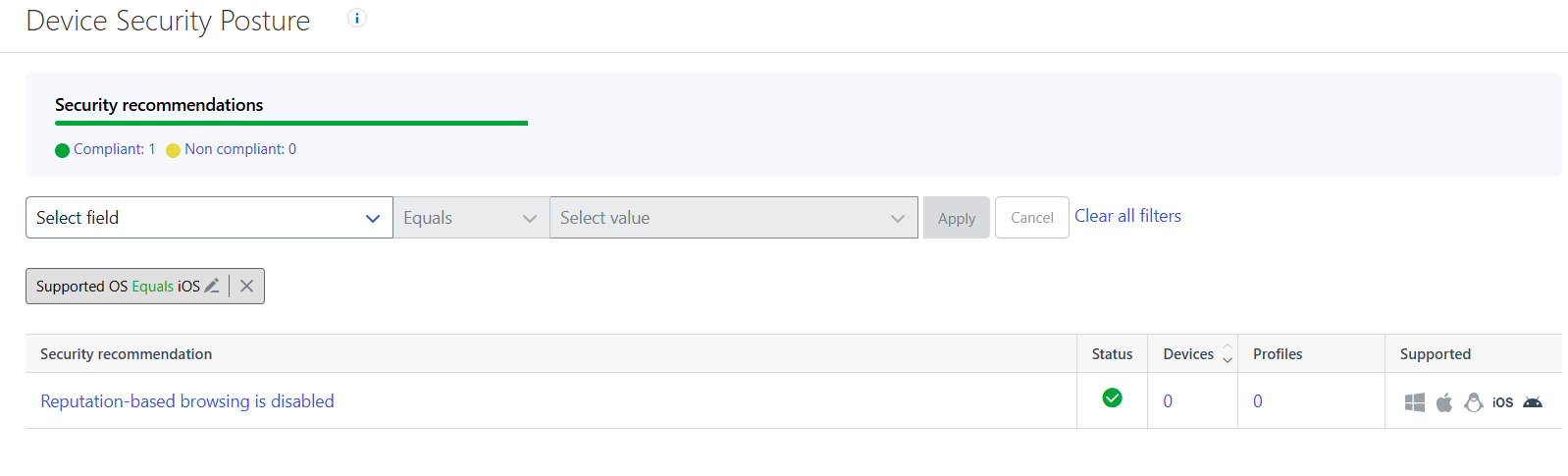
- Available Device Security Posture for iOS
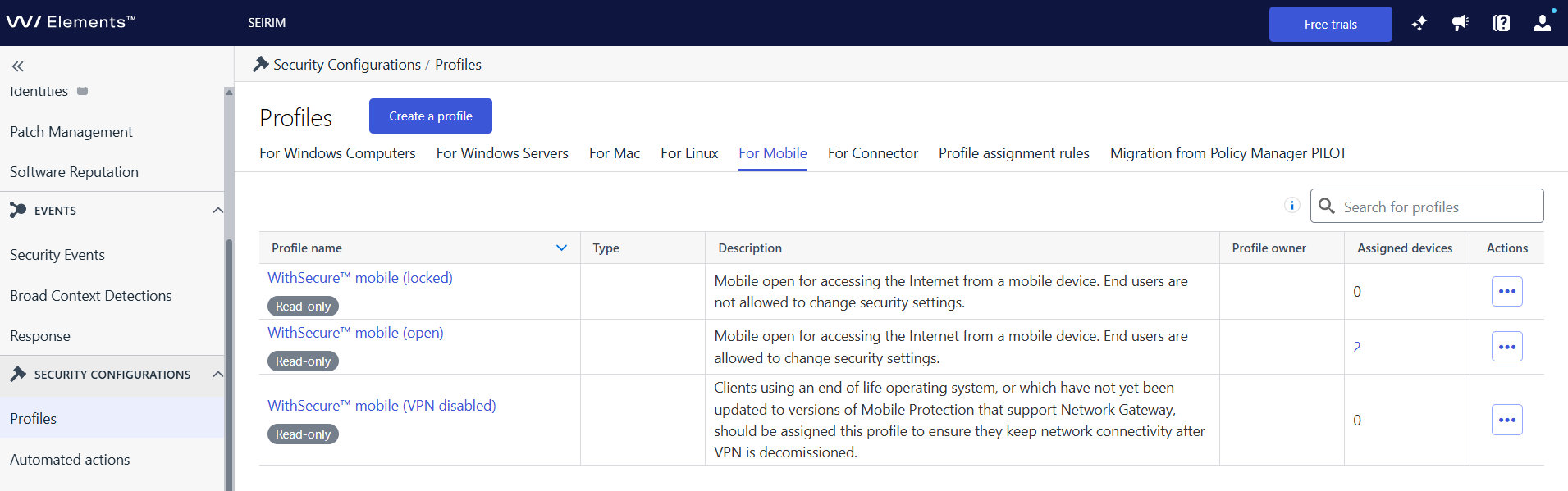
- Security Configuration Profile
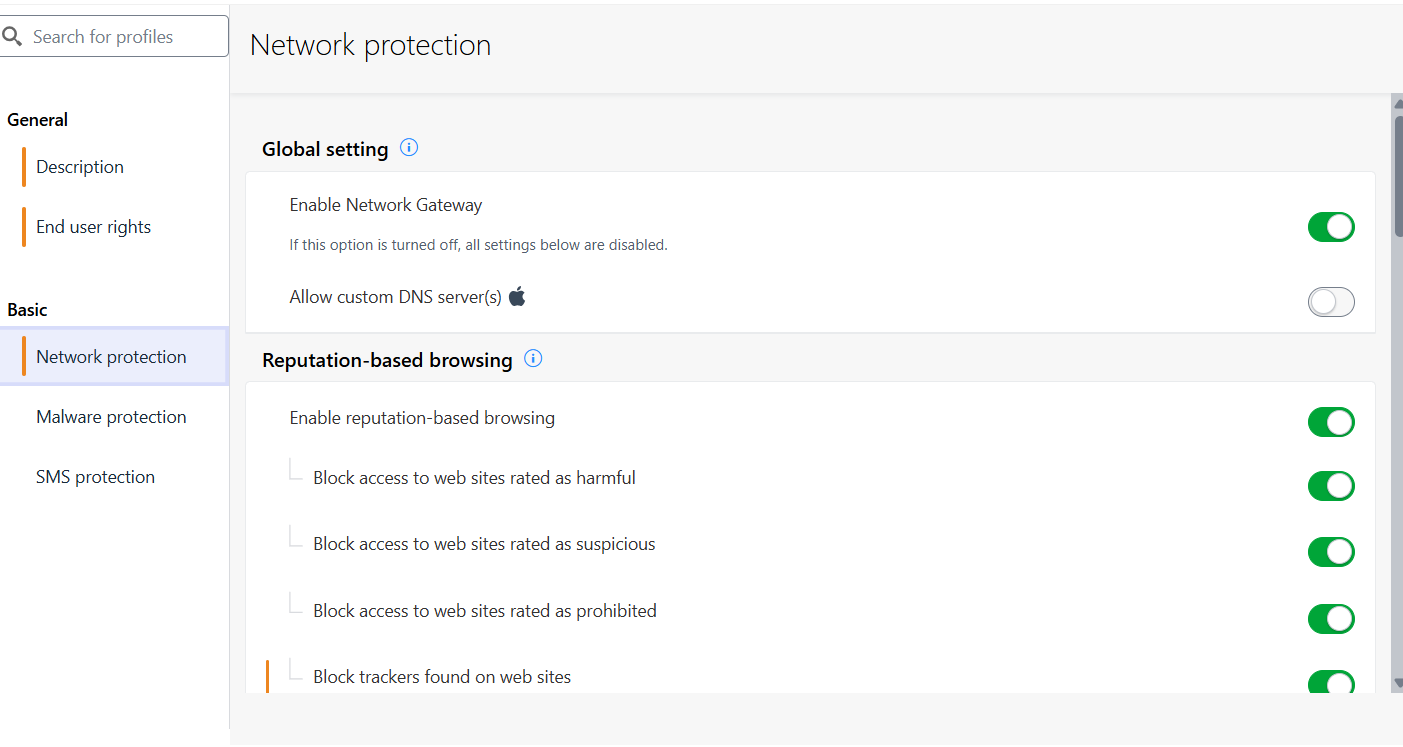
- Network Protection Settings
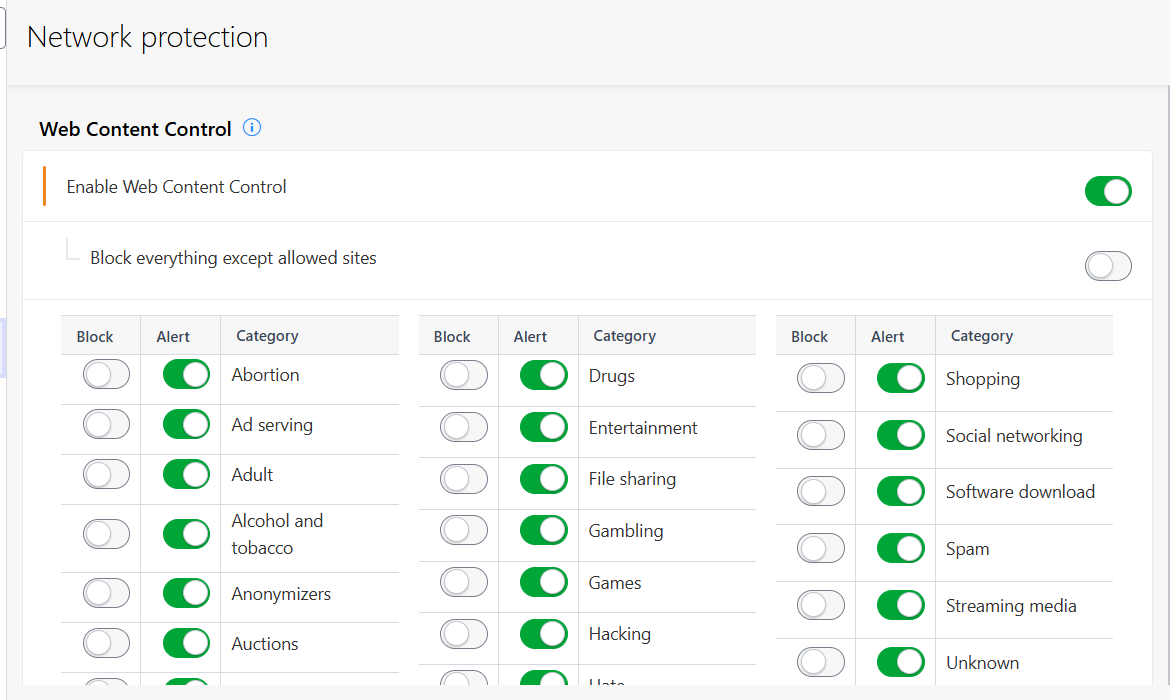
- Web Content Control Settings
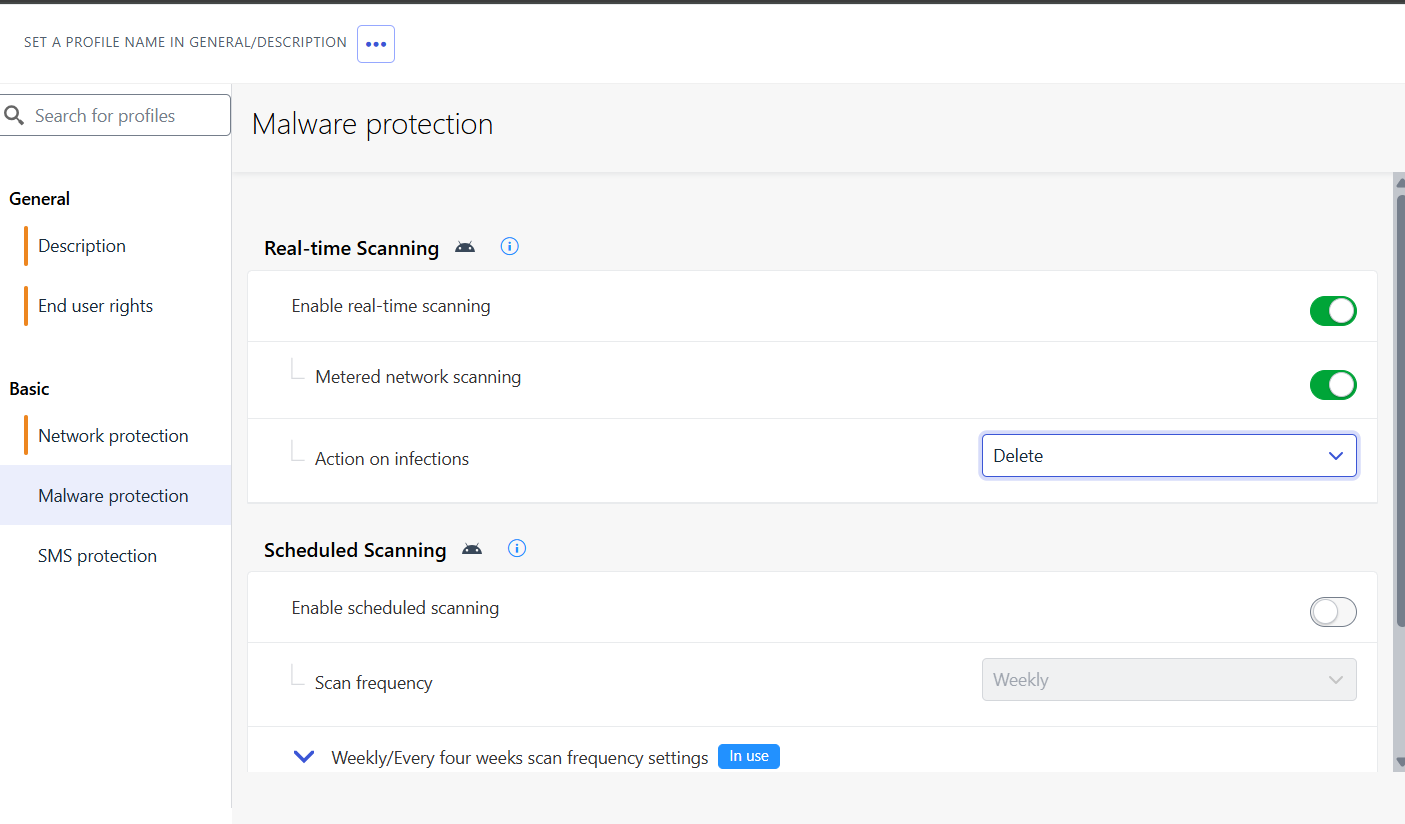
- Malware Protection Settings for Android
WithSecure Pros
- Malware scanning on Android: Provides both real-time and scheduled scanning to detect threats, ensuring devices remain continuously protected against malicious software.
- Cross-platform web filtering: Supports blocking specific domains or entire categories of websites on both Android and iOS, backed by real-time reputation checks from the Security Cloud.
- Network-level reputation checking: Uses a VPN-based Network Gateway to evaluate and filter URLs before loading, ensuring protection applies regardless of the browser in use, while maintaining low power consumption.
- SMS phishing protection: Adds a layer of defense by scanning links received via text messages to help identify and block phishing attempts.
- Detailed security events reporting: Logs and presents blocked pages and malware detections in the Elements Security Center, giving administrators clear visibility into incidents.
- Centralized deployment and management: Streamlined rollout and policy enforcement through the Elements Security Center or MDM platforms, with unified licensing and reporting.
WithSecure Cons
- No malware scanning on iOS: Due to Apple’s sandbox restrictions, malware detection on iOS is not possible, limiting this capability to Android devices.
- No full EDR functionality: It can log events and block threats, but it lacks the behavioral forensics and live response features available in full-scale EDR platforms.
- VPN dependency may have limitations: The VPN-based Network Gateway may encounter issues on Android if VPN enforcement does not behave as expected.
- SMS phishing protection platform-limited: Effectiveness of SMS link scanning can vary between operating systems, as it relies on OS-specific behaviors.
WithSecure Summary
WithSecure Elements Mobile Protection delivers a well-rounded set of capabilities for organizations looking to secure mobile endpoints through centralized management. It combines Android malware scanning, cross-platform web filtering, network-level URL reputation checks, SMS phishing detection, and detailed logging into a single, easily managed solution. Its integration with MDM platforms and straightforward deployment process make it particularly suited for enterprise rollouts where scalability and centralized visibility are priorities.
That said, it is best categorized as a Mobile Threat Defense (MTD) solution rather than a full-featured mobile EDR platform. iOS malware scanning is unavailable, and advanced forensic or incident response features are absent. The VPN-based filtering approach, while effective for browser-independent protection, can have platform-specific quirks that require consideration.
For organizations that need reliable, policy-driven protection for mobile devices and value ease of deployment and management, WithSecure Elements Mobile Protection provides strong baseline security. However, for environments requiring advanced threat hunting, in-depth behavioral analytics, or active response capabilities, it may be beneficial to pair it with a more comprehensive EDR platform to achieve full coverage.
Trend Vision One
Trend Vision One extends its well-known endpoint protection capabilities into the mobile space, providing a unified approach to defending Android and iOS devices against evolving mobile threats. It aims to cover the full spectrum of risks that modern organizations face on smartphones and tablets, including malicious applications, phishing campaigns, unsafe Wi-Fi connections, and web-based attacks. This mobile integration fits naturally into the broader Vision One ecosystem, allowing security teams to manage mobile devices alongside desktops, servers, and other endpoints from the same centralized console.
From the Vision One console, administrators can configure and enforce mobile security policies, track device compliance, and review detailed event logs. The platform’s mobile agent supports both manual and scheduled scanning, ensuring devices maintain a consistent level of hygiene without relying entirely on user initiative. Complementing malware scanning, the platform includes risky app detection through behavioral analysis and risk scoring, web reputation filtering to prevent unsafe browsing, and Wi-Fi protection to safeguard against man-in-the-middle attacks or rogue hotspots.
One notable differentiator is its deepfake detector, currently available only on iOS, which flags suspicious or manipulated media content. This capability is especially relevant in scenarios involving social engineering, impersonation, or disinformation campaigns, adding a layer of defense that goes beyond traditional malware prevention.
Below are key screenshots from the test run on both Android and iOS:
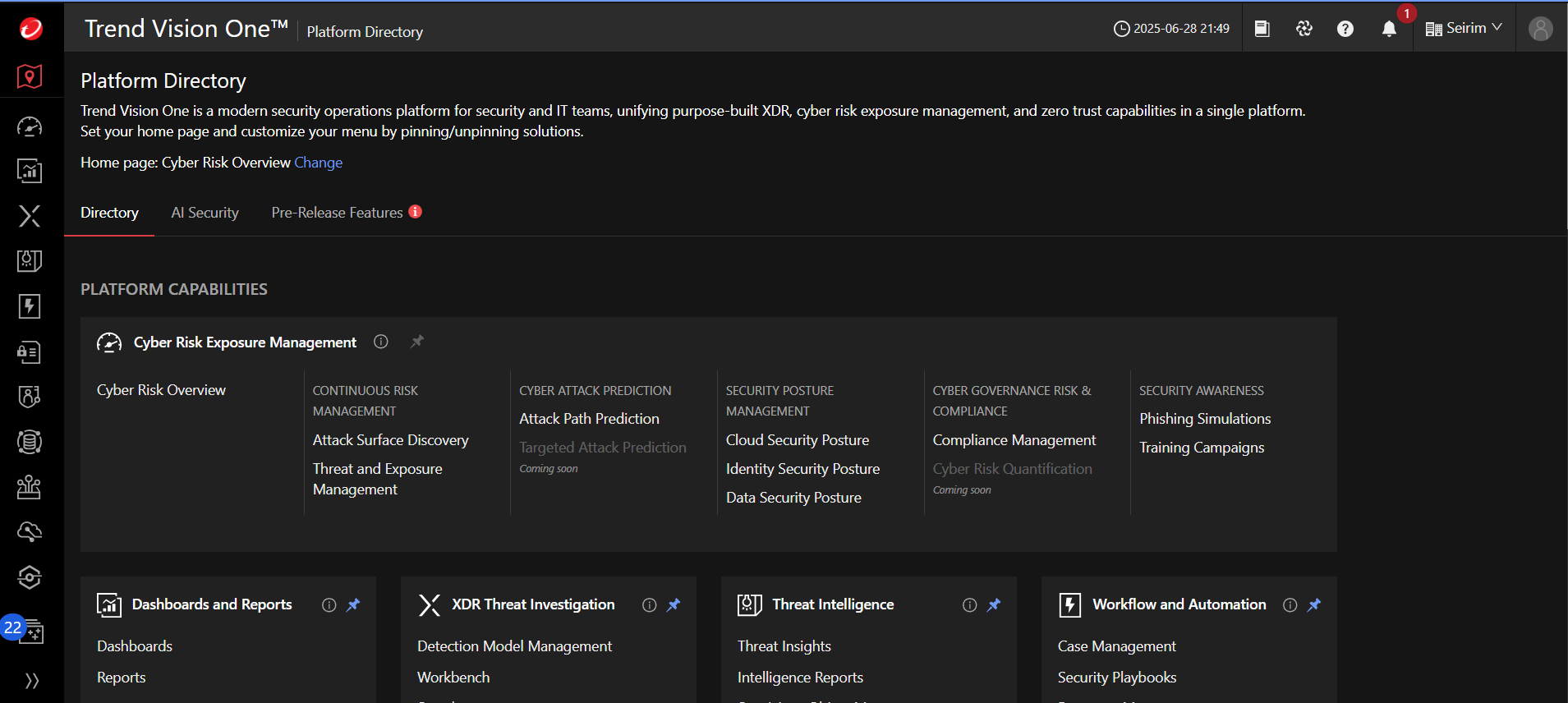
- Trend Vision One Homepage
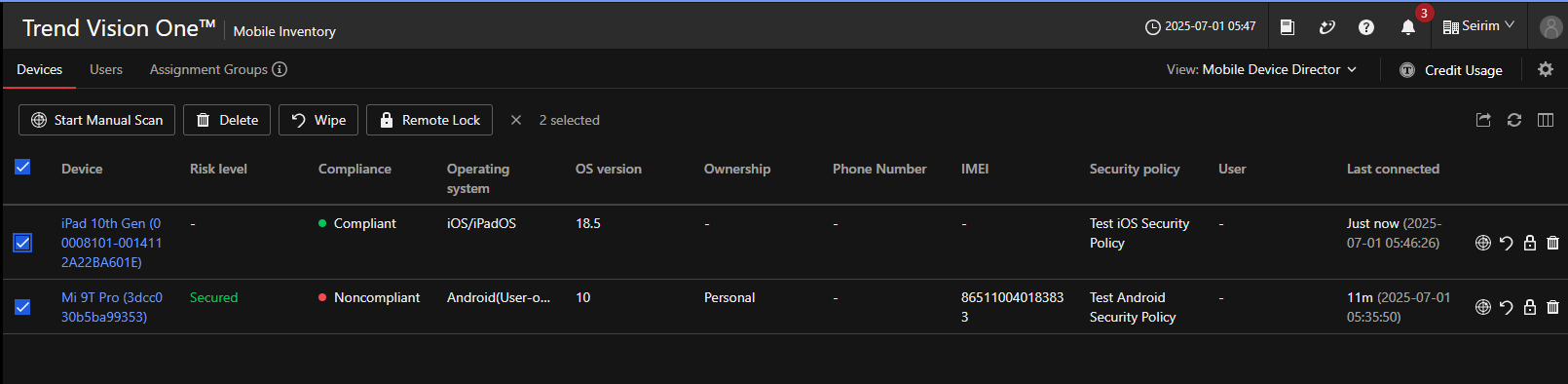
- Trend Vision One Device Inventory
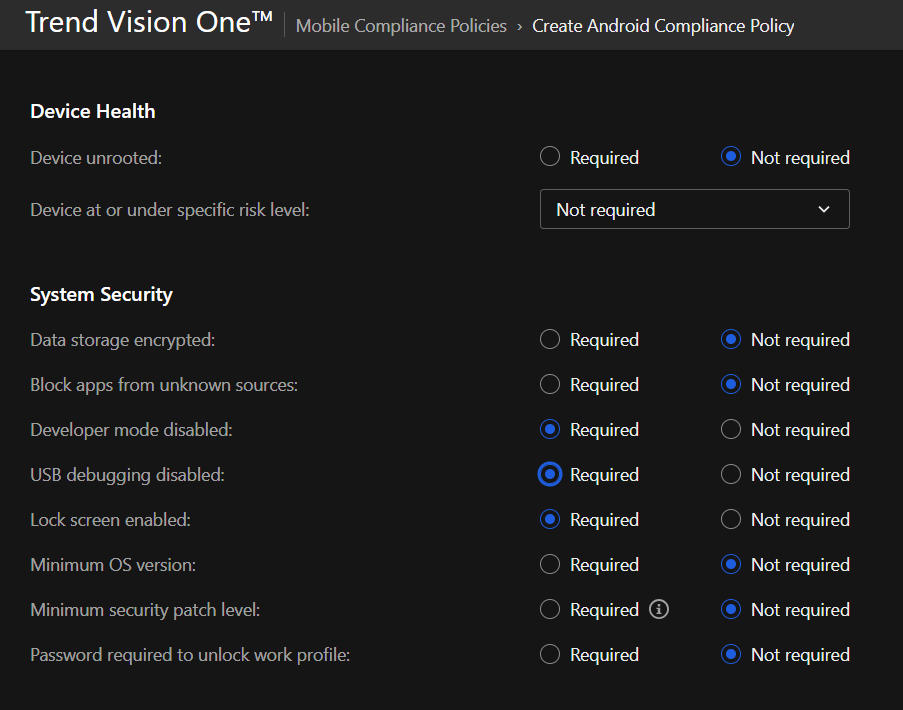
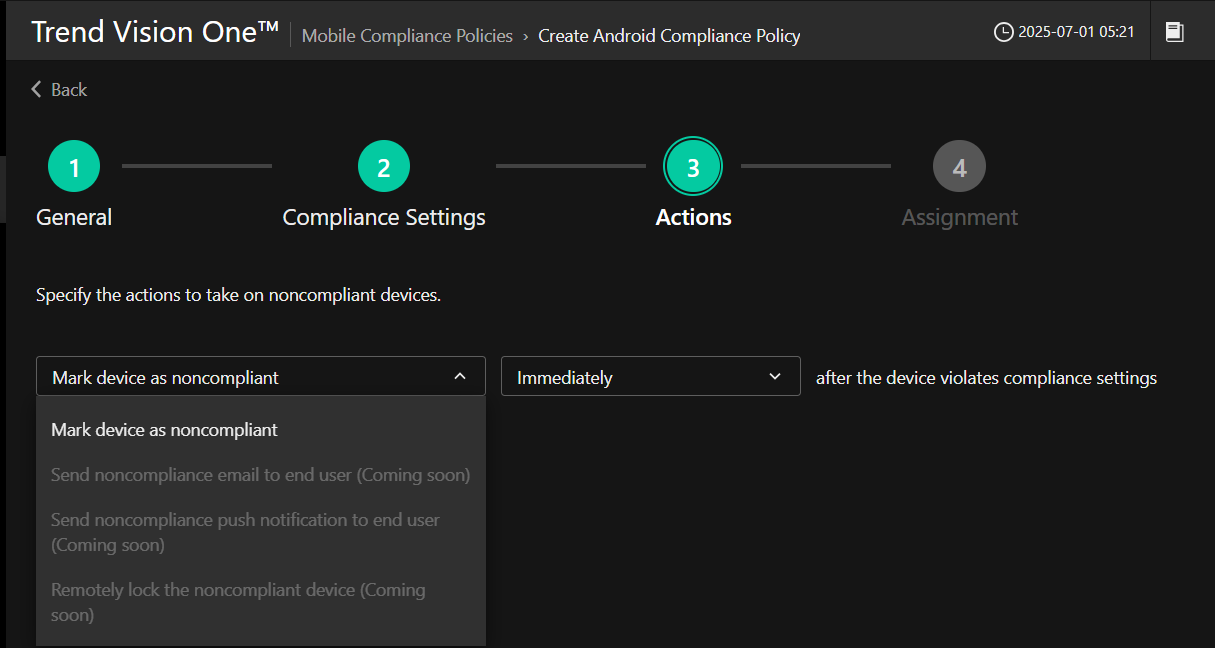
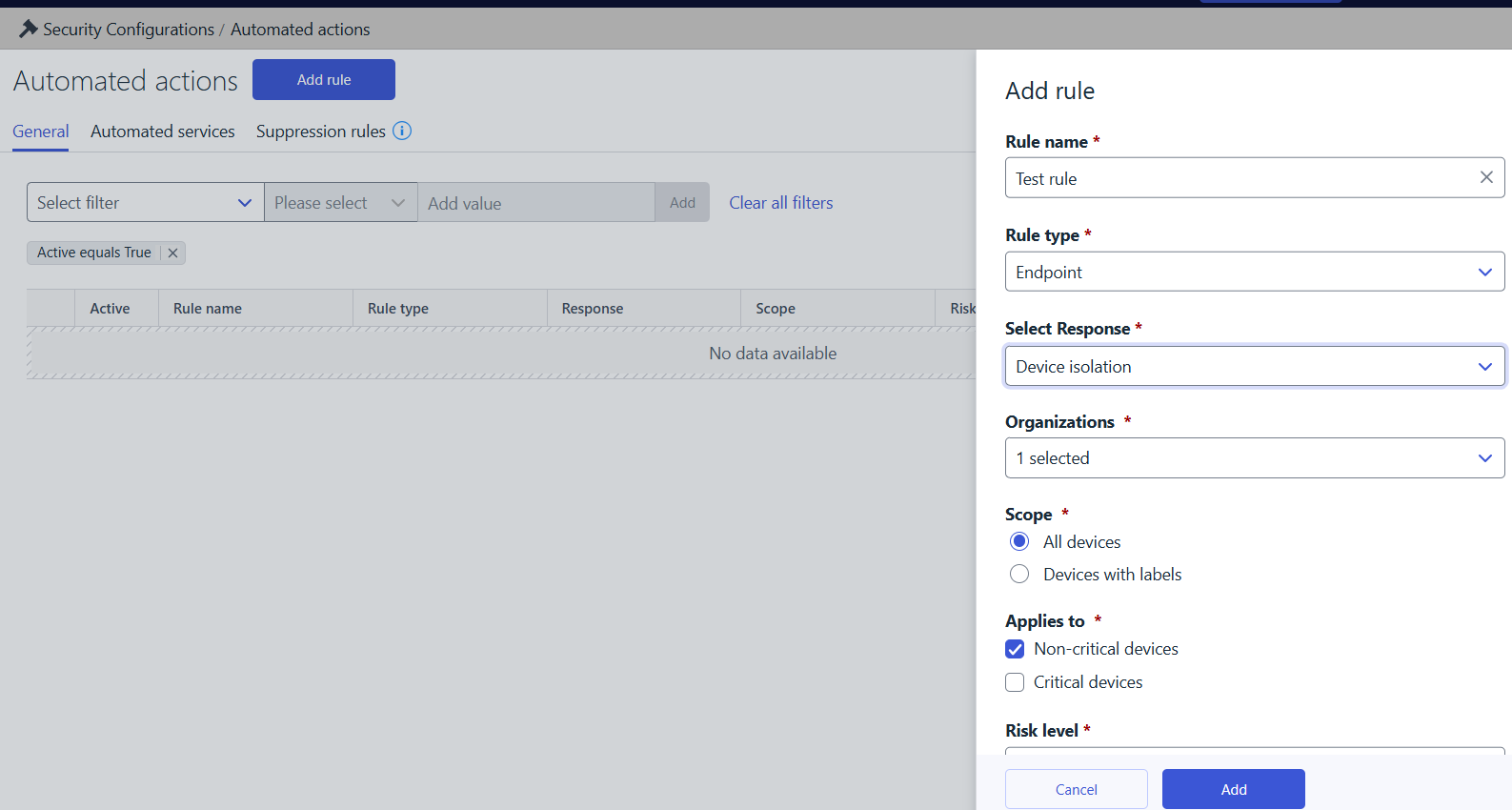
- Action for Non-Compliant Android Compliance Policy
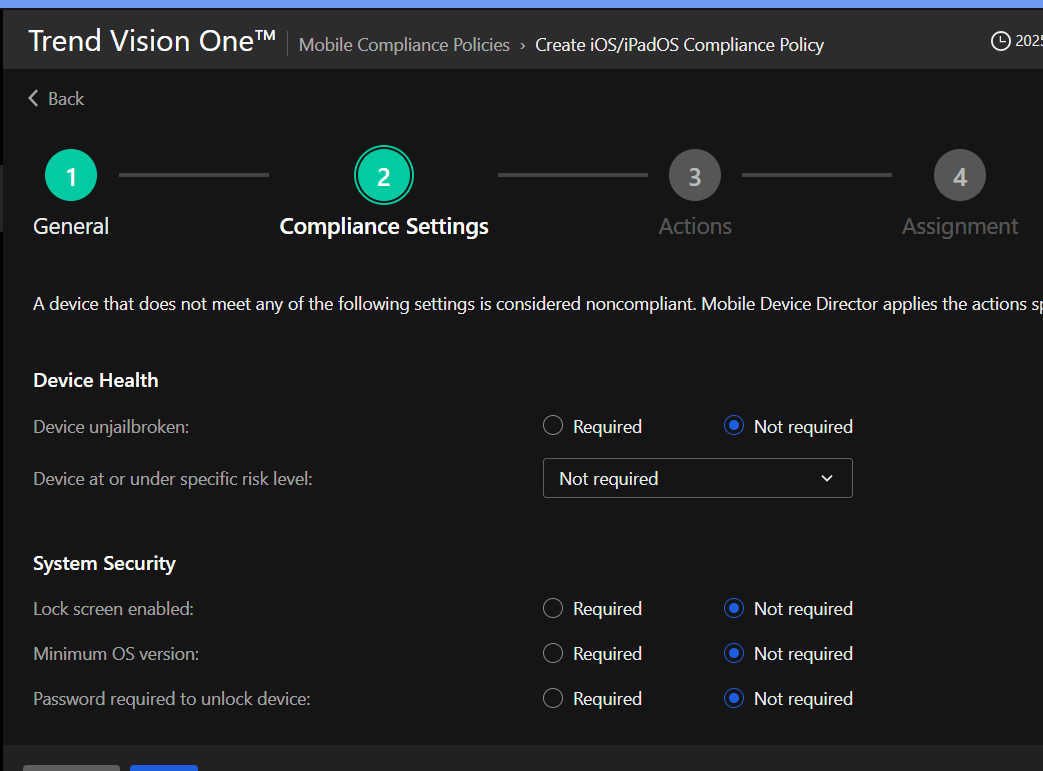
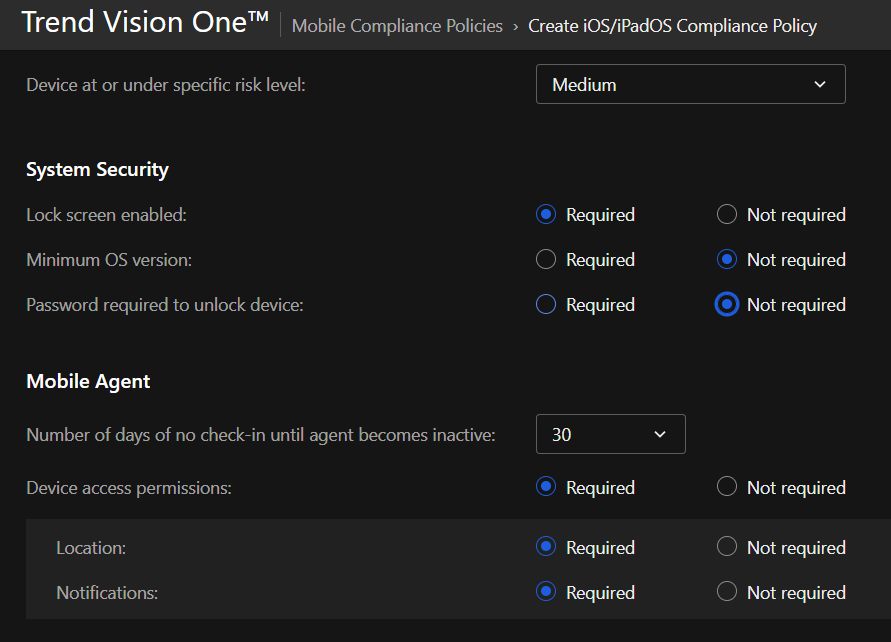
- Action for Non-Compliant iOS Compliance Policy
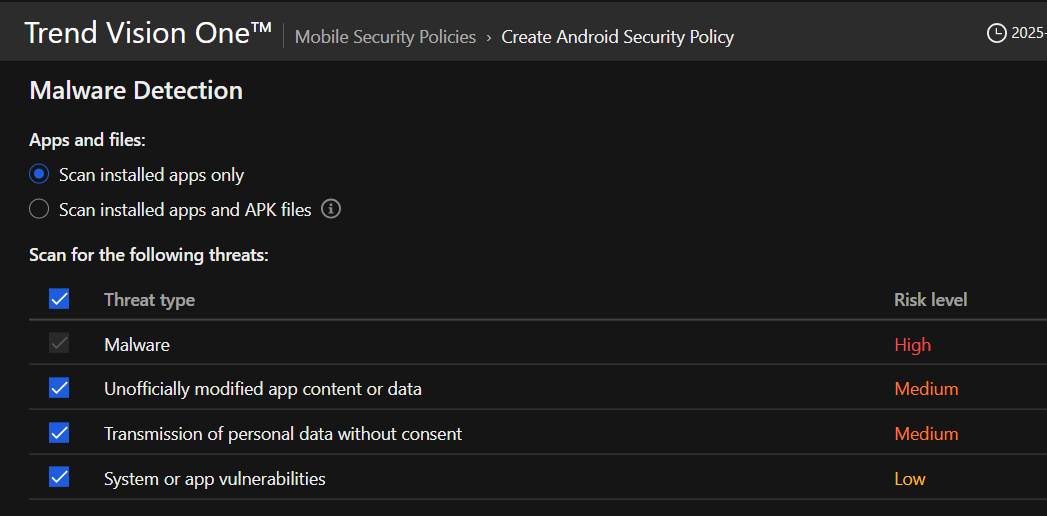
- Android Security Policy - Malware Detection
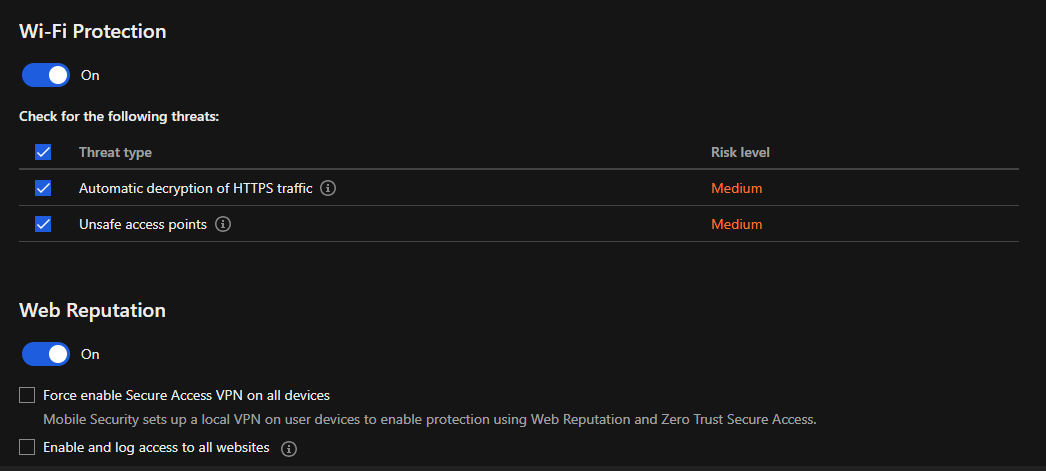
- Android Security Policy - Wi-Fi Protection and Web Reputation
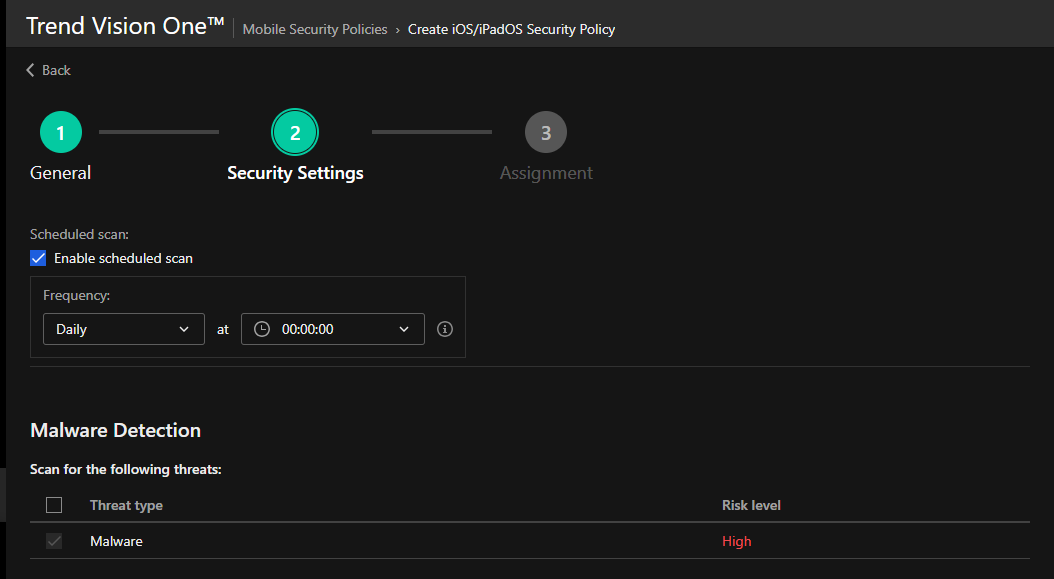
- iOS Security Policy - Malware Detection
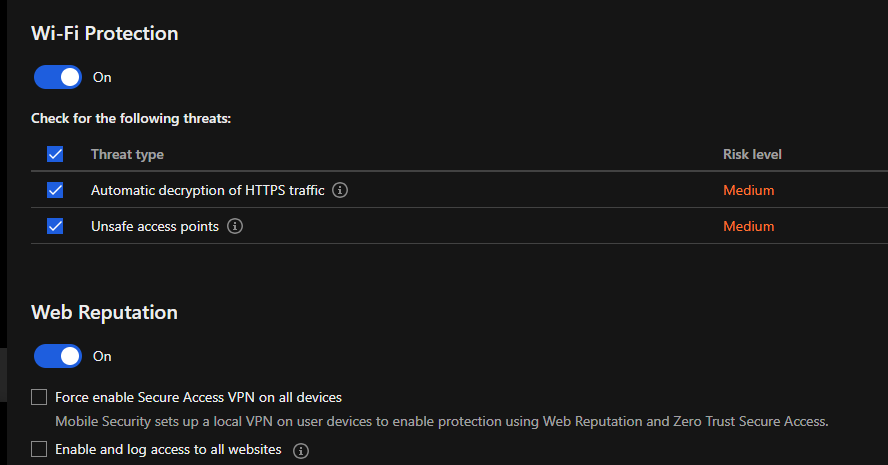
- iOS Security Policy - Wi-Fi Protection and Web Reputation
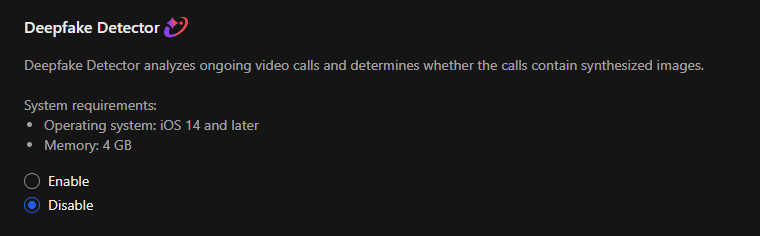
- iOS Security Policy - Deepfake Detector
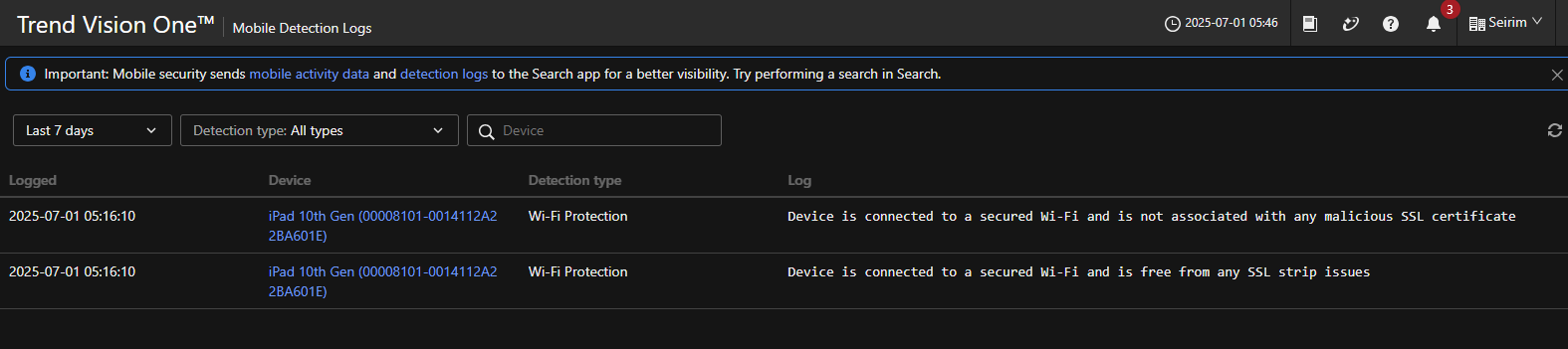
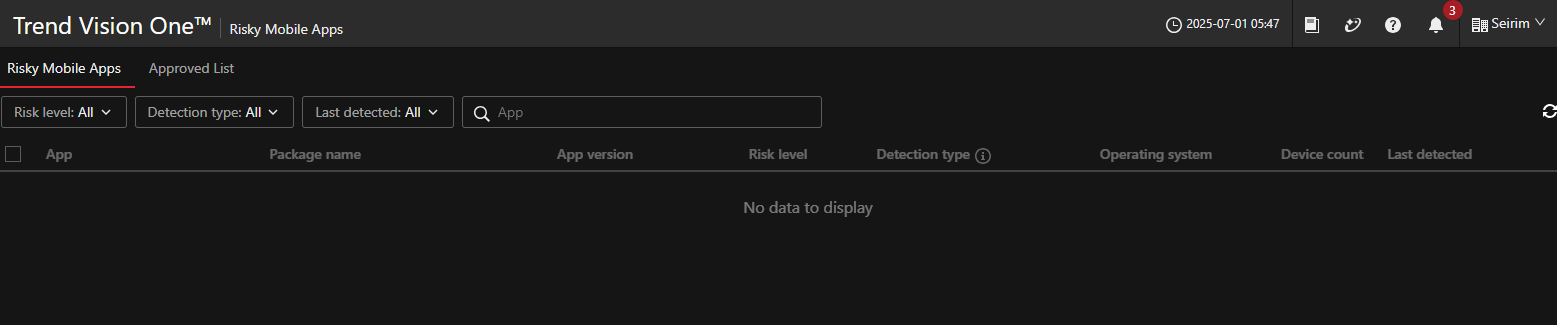
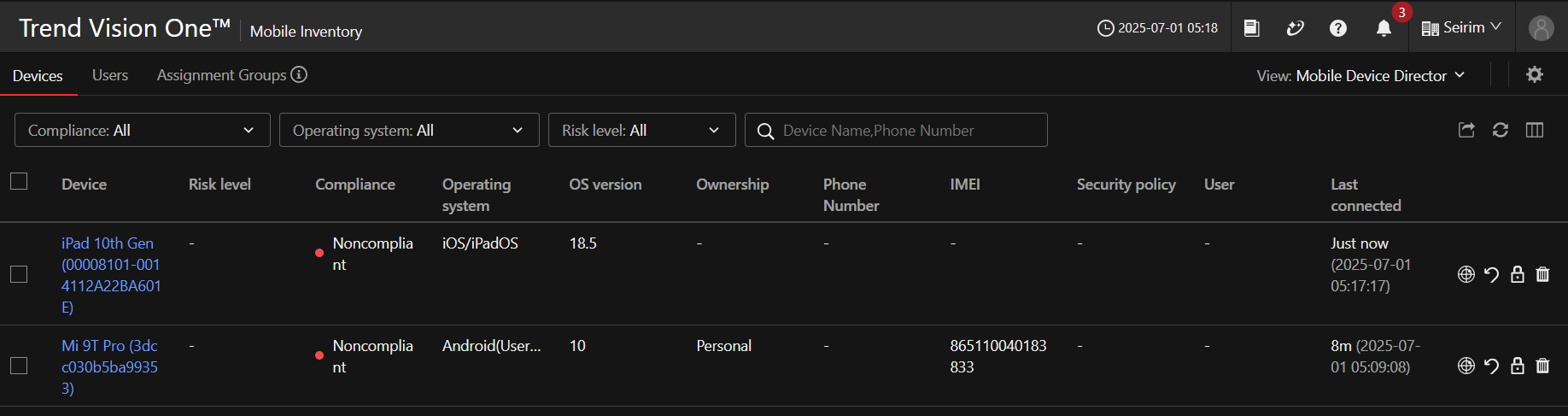
- Actions Available for Android and iOS Devices
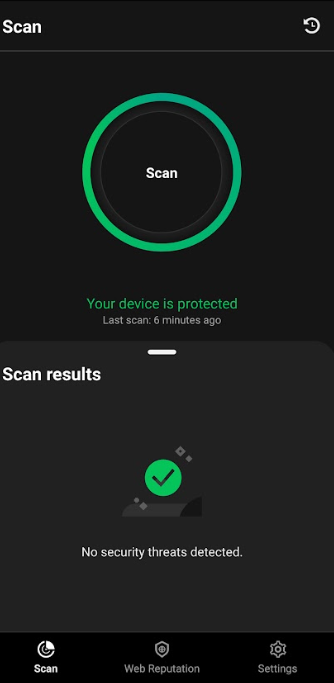
- Scan Results on Android Device
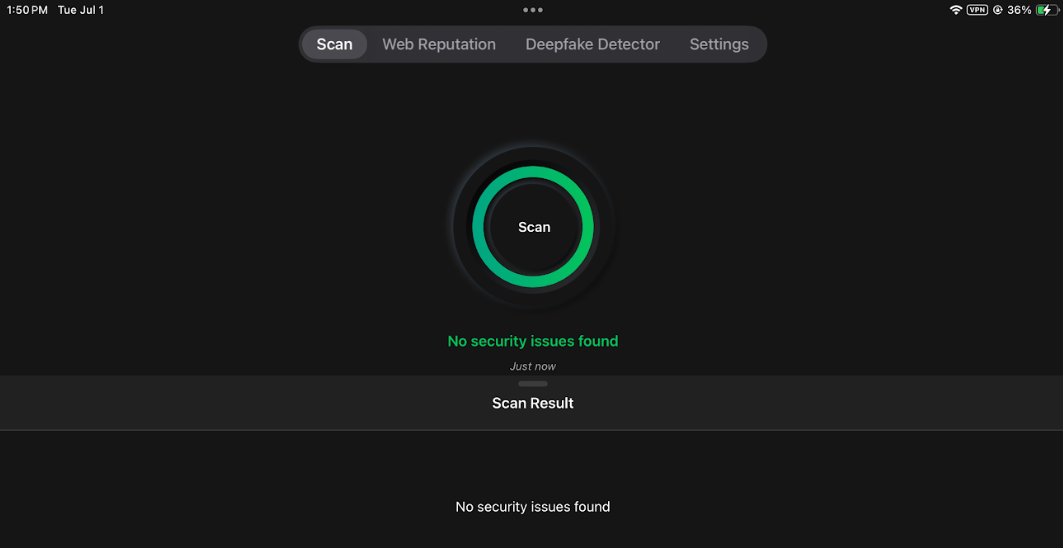
- Scan Results on iOS Device
Trend Vision One Pros
- Cross-platform malware scanning: Both Android and iOS support manual and scheduled scans, allowing consistent device hygiene across platforms.
- Risky app detection: The platform uses risk scoring and behavioral analysis to identify malicious or privacy-invasive apps installed on devices.
- Wi-Fi protection: Mobile devices are protected from unsafe or suspicious Wi-Fi access points, helping mitigate man-in-the-middle (MITM) attacks and rogue hotspots.
- Deepfake detector for iOS: A unique feature available on iOS that flags suspicious use of manipulated media content, enhancing defense against social engineering or impersonation threats.
- Centralized policy management: Security policies for mobile devices are configured and deployed from the Trend Vision One console, with clear settings for malware protection, web reputation, and app behavior.
- Detection logs and visibility: Security events from mobile devices (like blocked apps or scans) are logged and accessible in the Vision One console, supporting investigation and compliance reporting.
Trend Vision One Cons
- Limited enforcement actions for non-compliant devices: The only currently available response is to mark a device as non-compliant—other actions like remote wipe or quarantine are grayed out and marked "coming soon."
- No real-time EDR response actions yet: Unlike desktop EDR, real-time response capabilities (e.g., isolate device, terminate app) are not yet available for mobile.
- iOS platform limitations: As with most iOS security tools, app-level visibility is restricted, and malware scanning is more limited compared to Android due to Apple’s sandboxing.
- Feature rollout still in progress: Some mobile-specific features (like broader compliance actions and risk-based automated responses) appear to be in development or phased rollout, which may limit immediate usability in enterprise-grade incident response.
- Deepfake detection only on iOS: While innovative, the deepfake detector is exclusive to iOS, leaving Android without this extra layer of protection.
Trend Vision One Summary
Trend Vision One for Mobile delivers a strong foundation for protecting smartphones and tablets, particularly for organizations already invested in the Vision One platform. Its coverage of key mobile risks, malware, risky apps, unsafe Wi-Fi, and malicious web content is complemented by clear policy controls and comprehensive logging in the unified console. The inclusion of a deepfake detector on iOS also demonstrates Trend’s willingness to innovate beyond conventional mobile threat defense.
That said, there are still a few gaps, like the lack of advanced real-time EDR-style responses, differences in capabilities between Android and iOS, and limited enforcement options, that keep it from fully stepping into the role of a specialized mobile EDR solution for organizations needing fast containment or automated remediation. Still, with ongoing development and new features on the way, Trend Vision One’s mobile capabilities are on track to become stronger in the enterprise MTD space. For now, it’s a reliable, well-integrated option for baseline protection, monitoring, and policy enforcement across a mix of mobile devices.
Xcitium
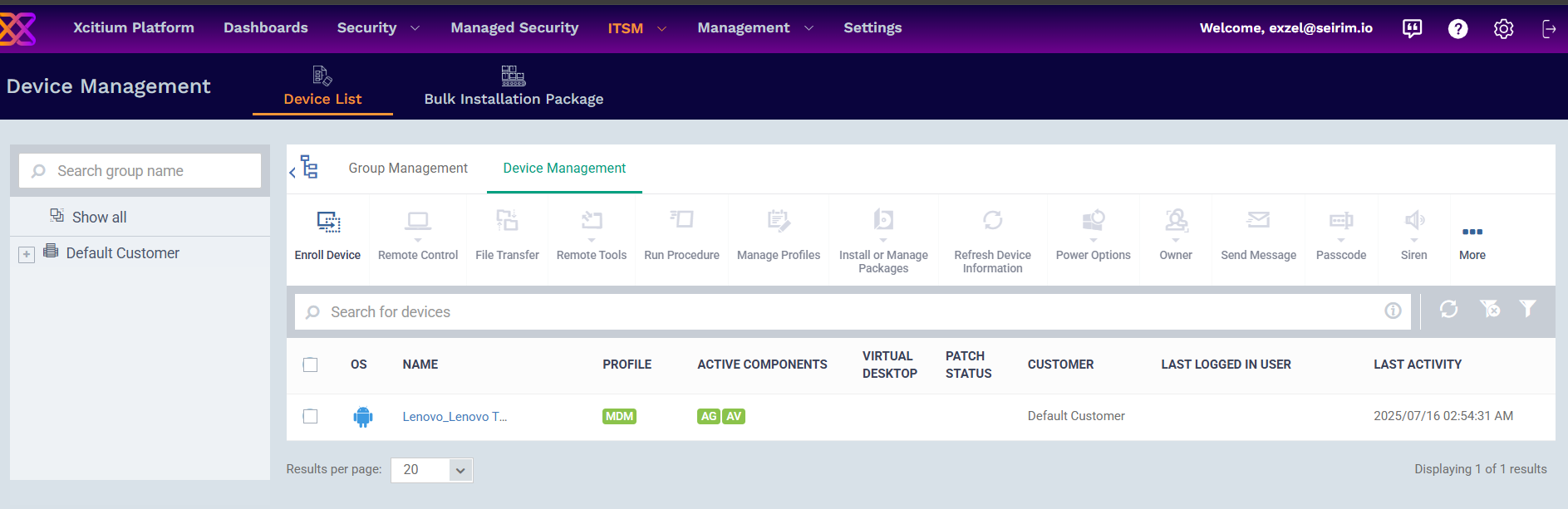
Xcitium (formerly Comodo) brings its endpoint protection philosophy to the mobile arena, focusing on a combination of threat prevention, policy enforcement, and device control, particularly for Android. It is designed to give administrators strong visibility into mobile endpoints, along with the ability to take decisive action in response to compliance issues or security incidents. Android benefits from the full suite of malware protection and containment capabilities, whereas iOS support remains comparatively limited, relying more on policy enforcement than on active threat detection.
The Android client offers antivirus scanning, process termination, and containment, giving it a stronger resemblance to a traditional endpoint protection product than many Mobile Threat Defense (MTD) tools. In addition, administrators can set granular security hygiene policies, such as enforcing minimum passcode complexity, passcode expiration, and automatic data wipes after multiple failed login attempts. Encryption compliance checks and restrictions on hardware access, such as camera or Bluetooth, allow for tighter control over device behavior in corporate environments.
Some capabilities are particularly niche and specialized. The “Sneak Peek” feature, for example, uses the front camera to capture an image after failed passcode attempts, which can be useful for identifying potential unauthorized access. Likewise, Kiosk Mode, limited to Samsung SAFE devices, lets administrators lock the device into specific applications, a valuable tool for use cases like retail kiosks, educational settings, or dedicated work devices. Application blacklisting further extends compliance enforcement by preventing unwanted or non-approved apps from being installed or run.
Below are key screenshots from the test run on both Android and iOS:
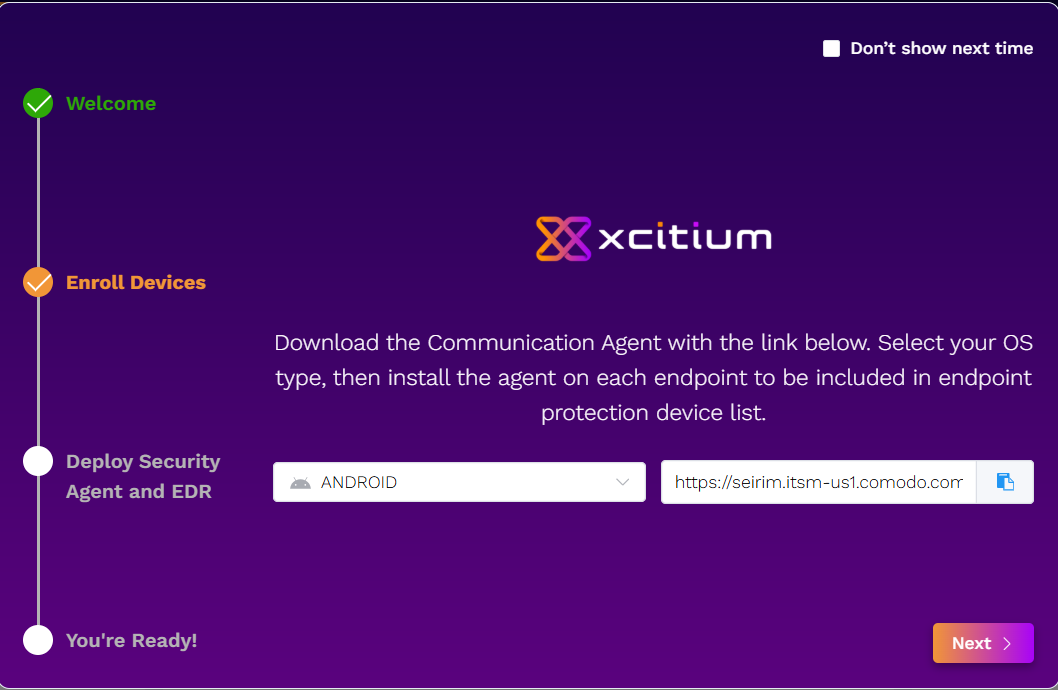

- Android Antivirus Settings
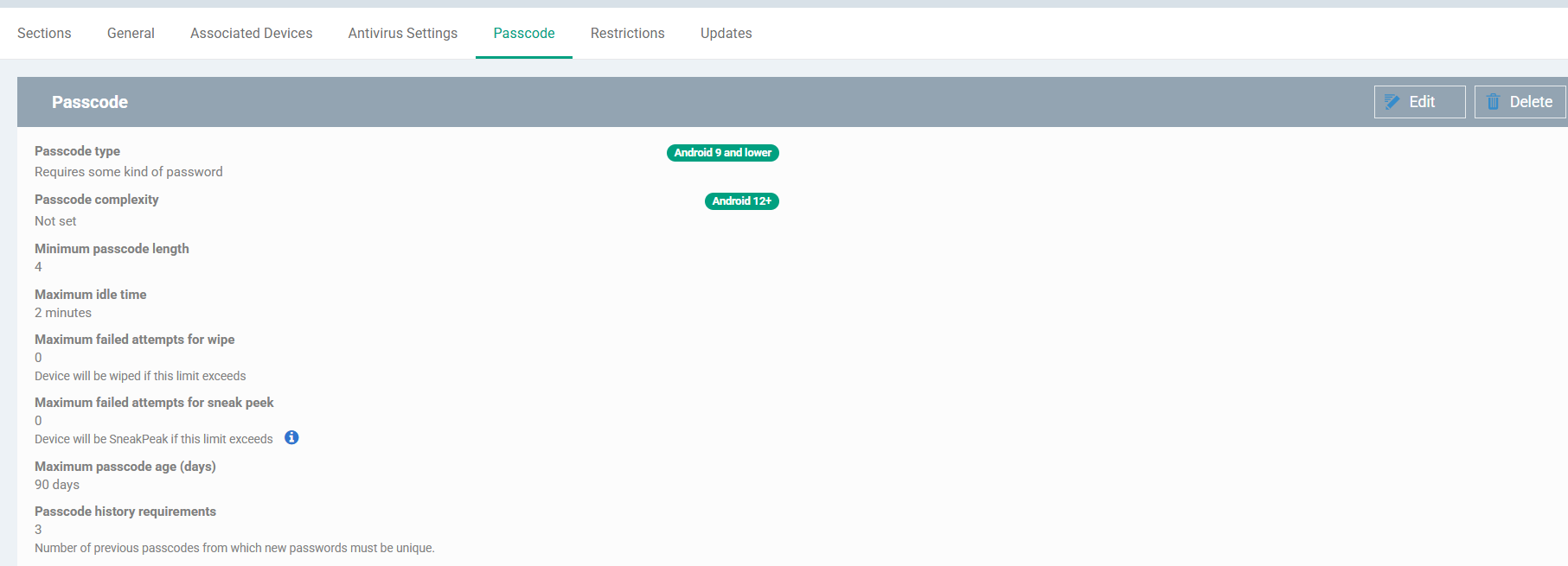
- Android Passcode Settings
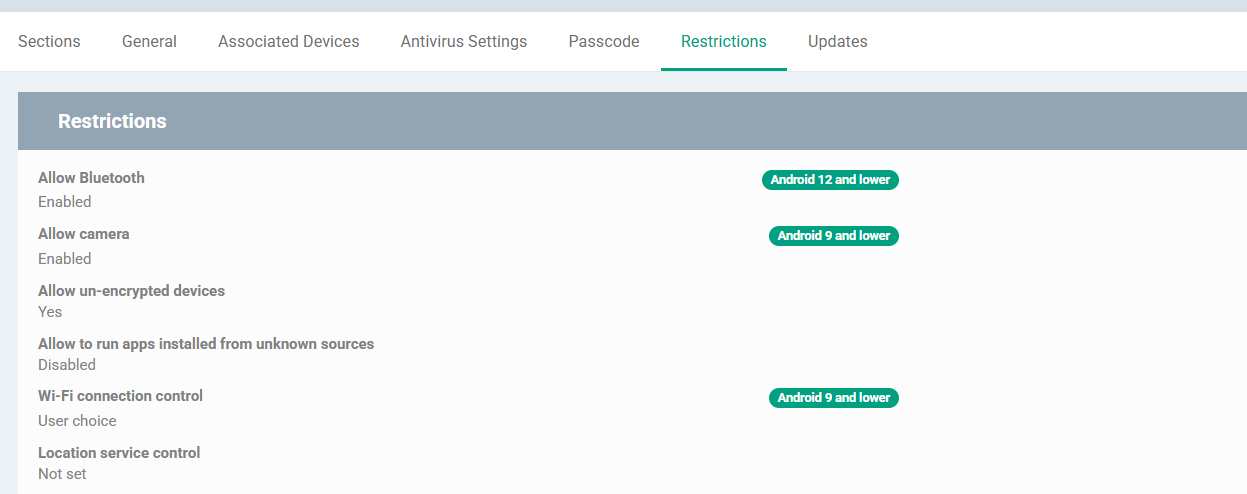
- Android Restrictions Settings
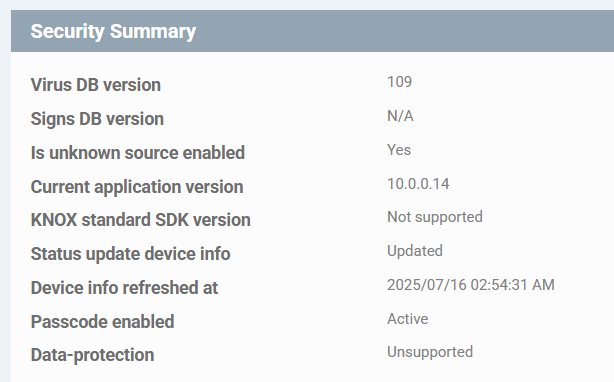
- Android Device Security Summary
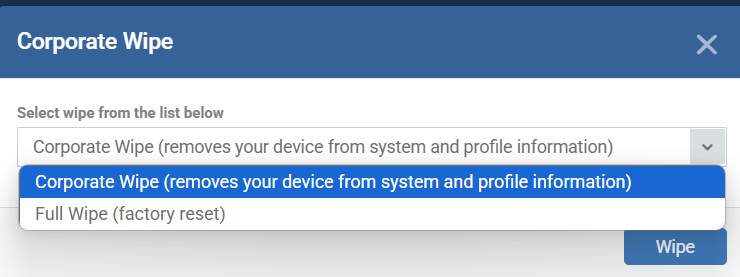
- Android Device Wipe Options
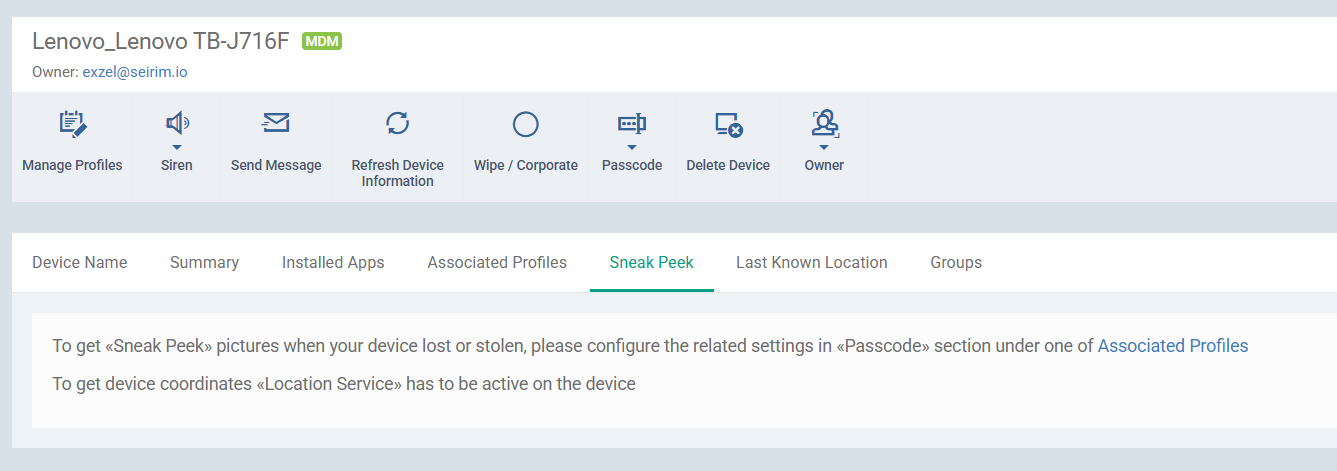
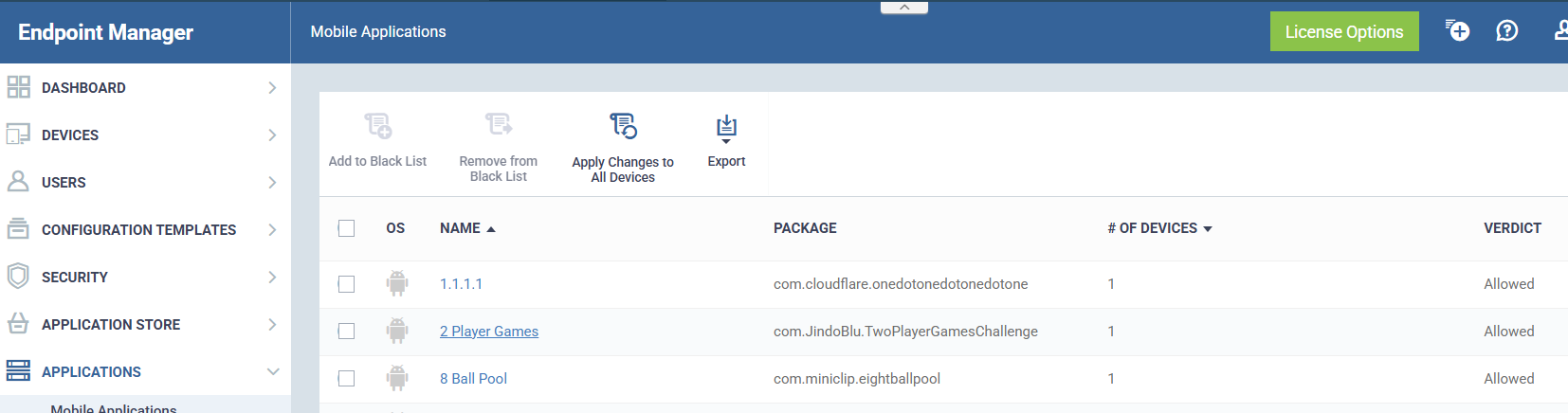
- Installed Mobile Applications
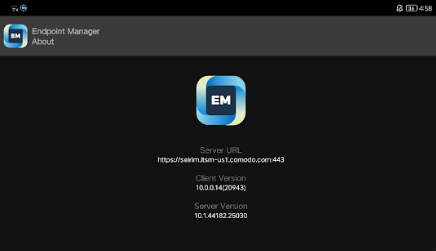
- Endpoint Manager Android Mobile App Interface
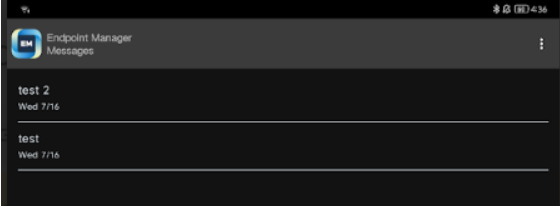
- Endpoint Manager Mobile App Test Messages
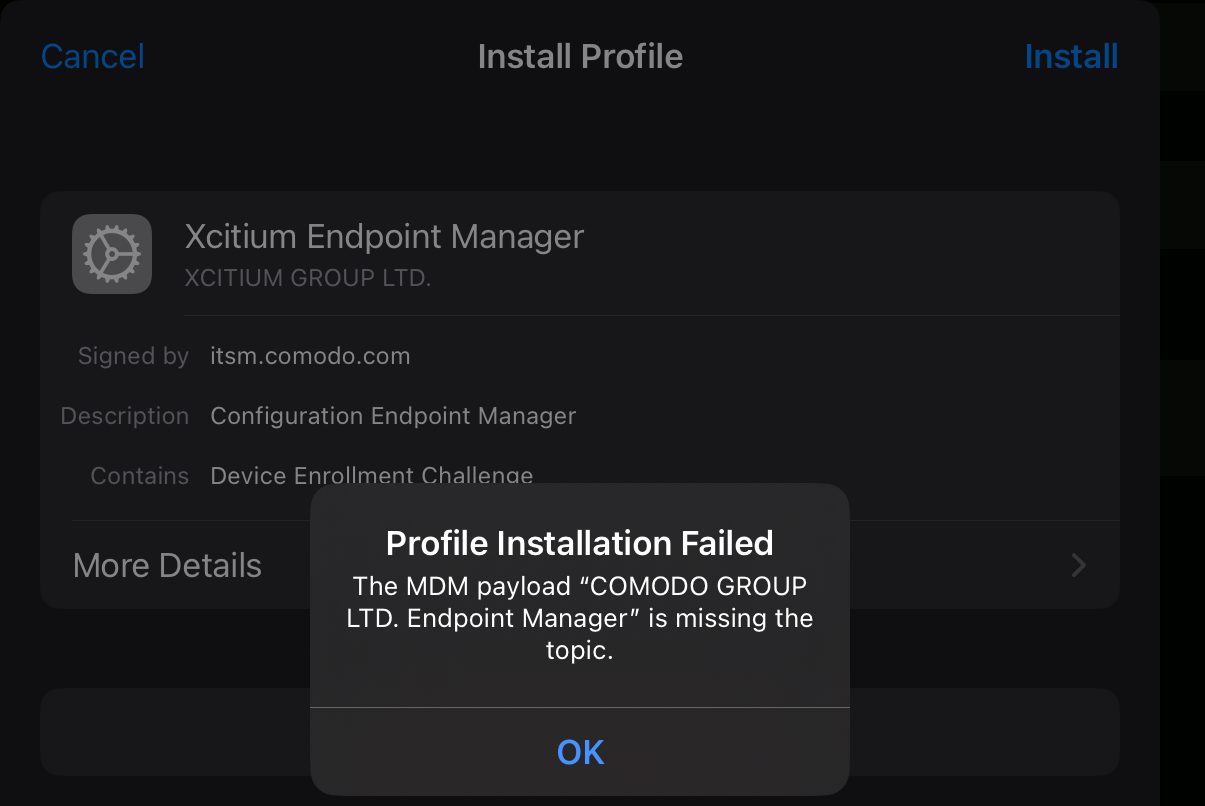
- Profile Installation Error on iOS Device
Xcitium Pros
- Antivirus and malware control: The Android client includes malware process termination and containment, offering core endpoint protection features.
- Policy-based passcode and encryption controls: Admins can enforce security hygiene rules such as minimum passcode standards, passcode age, and auto-wipe on multiple failed attempts.
- Remote management: Includes support for full and corporate device wipes, allowing fast response in case of compromise or lost/stolen devices.
- Sneak Peek feature: Captures images via the device’s front camera when passcode attempts fail, adding an extra security layer.
- Kiosk Mode (Samsung SAFE only): Allows tight app control, useful in educational or retail environments.
- Application blacklisting: Admins can prevent the installation or use of specific apps, improving device compliance.
Xcitium Cons
- iOS deployment issues: Unable to complete profile installation on iOS during testing; issue also affects other users according to forum threads.
- Manufacturer-limited features: Some key controls like bluetooth/browser restrictions and Kiosk mode only works on Samsung SAFE devices, limiting compatibility with other Android brands.
- Inconsistent enforcement: Location services policy (forced “on”) did not fully prevent manual toggling on the test Android device.
- Complex setup: Requires installation of both Xcitium and Comodo security clients and manual device enrollment, which can be time-consuming.
Xcitium Summary
Xcitium Mobile EDR delivers a robust Android security toolkit, blending traditional antivirus capabilities with enterprise-level policy enforcement and remote management. Its combination of malware containment, passcode enforcement, encryption compliance, and niche tools like Sneak Peek and Kiosk Mode make it especially effective in controlled environments, provided the hardware is compatible. On Samsung SAFE devices, the solution’s control granularity is notably strong, making it a viable choice for organizations that prioritize strict lockdown configurations or dedicated-use devices.
There are, however, notable trade-offs to consider. Factors like deployment challenges on iOS, differences in capabilities across operating systems, and restricted compatibility with non-Samsung Android devices prevent it from serving as a truly universal solution. In addition, even though it’s labeled as “Mobile EDR”, it still doesn’t offer the deeper activity tracking or the kind of automated incident response you’d expect from more established EDR platforms. For organizations already invested in Xcitium’s wider endpoint security ecosystem, this mobile component can still add value by extending coverage across more devices, but expectations should be aligned with its current platform-specific constraints.
Final Verdict
If your goal is to achieve the most balanced, cross-platform mobile security experience today, Trend Vision One comes out ahead. Its ability to run manual and scheduled malware scans on both Android and iOS, detect risky apps, monitor Wi-Fi safety, and log events in a centralized console makes it a solid foundation for enterprise environments. Although it’s missing some real-time EDR-style response actions and has a few features still in development, its strong policy controls, robust visibility, and unique iOS deepfake detection make it a strong choice for organizations seeking consistent protection across varied device fleets.
Sophos Intercept X is the strongest fit for those already invested in the Sophos ecosystem, offering seamless integration into Sophos Central and straightforward centralized management. Its Android web filtering, network threat protection, and compliance enforcement are effective, though the lack of iOS malware scanning and absence of advanced EDR/XDR features keep it firmly in the Mobile Threat Defense category. It’s dependable, easy to deploy, and works well as part of a broader layered defense, but won’t replace a dedicated mobile EDR for deep investigation or active threat hunting.
WithSecure Elements Mobile Protection is a close alternative for organizations prioritizing policy-driven security and ease of management. Its Android malware scanning, cross-platform web filtering, and VPN-based network reputation checks provide comprehensive baseline protection, with detailed event reporting for visibility. However, it shares the same iOS malware scanning limitation as Sophos and lacks advanced forensic or incident response features. It’s best suited for enterprises that value centralized control, streamlined deployment, and solid coverage against common mobile threats.
Xcitium Mobile EDR is best reserved for Android-focused deployments, particularly those using Samsung SAFE-certified hardware, where strict lockdown configurations and granular policy enforcement are critical. Its malware containment, Sneak Peek camera capture, and kiosk mode make it ideal for high-control environments like retail or education. However, inconsistent policy enforcement, a complicated setup process, iOS deployment challenges, and differences in functionality across platforms make it less ideal for mixed-device fleets or organizations that need consistent coverage.
In short:
- Trend Vision One – Best overall cross-platform choice right now, with strong visibility and innovation, though still evolving in real-time EDR response.
- Sophos Intercept X – Best for organizations already in the Sophos ecosystem wanting dependable MTD coverage with centralized oversight.
- WithSecure Elements – Great for policy-driven enterprises that need ease of deployment, clear reporting, and consistent baseline security.
- Xcitium – Only consider if you’re Android-only (ideally Samsung SAFE) and need tight device lockdown with niche control features.
Vocabulary
A little vocabulary to help us navigate the usefulness of tools among all the jargon and marketing speak:
- Endpoint Detection and Response (EDR): A cybersecurity solution focused on detecting, investigating, and responding to threats on endpoint devices (such as laptops, desktops, and mobile phones) in real-time. EDR systems provide detailed visibility into endpoint activities and allow for automated responses to security incidents.
- Extended Detection and Response (XDR): An advanced version of EDR, XDR extends threat detection and response capabilities beyond endpoints to include networks, servers, cloud environments, and other critical infrastructure. It integrates data from multiple security layers for improved threat detection, faster incident response, and a unified view of the security landscape.
- Managed Detection and Response (MDR): A managed security service that provides organizations with external, 24/7 monitoring, threat detection, and incident response capabilities. MDR providers use advanced tools to detect threats and manage responses on behalf of the organization, offering expert assistance in handling security events.
- Mobile Device Management (MDM): MDM refers to a set of security and management tools used to monitor, manage, and secure mobile devices such as smartphones, tablets, and laptops within an organization. MDM solutions allow IT administrators to enforce security policies, manage apps, track devices, and remotely wipe data in the event of theft or loss, ensuring that mobile devices comply with organizational security standards.
Other technologies working similarly or connected to EDR include:
- Security Information and Event Management (SIEM): SIEM systems aggregate and analyze log data from various sources within an organization’s IT infrastructure to detect potential security threats. SIEM tools provide centralized monitoring, event correlation, and real-time alerts, making them crucial for threat detection, compliance monitoring, and incident response. SIEM can integrate with EDR, XDR, and MDR systems to enhance visibility and provide deeper insights into security events.
- Security Orchestration, Automation, and Response (SOAR): SOAR platforms help automate and streamline security operations by integrating security tools, processes, and workflows. SOAR enables faster incident response by automating repetitive tasks, such as threat remediation and reporting, and it allows security teams to respond to incidents more efficiently. SOAR can work alongside EDR, XDR, and MDR to enhance response times and improve incident management.
- Mobile Threat Defense (MTD): MTD solutions focus on identifying and mitigating threats specific to mobile devices, such as malware, phishing, and unsafe network connections. MTD is closely related to MDM but focuses more on detecting and responding to mobile-specific threats rather than just device management. Combining MTD with MDM offers a comprehensive mobile security solution for managing and protecting mobile endpoints.


 2026-06-15 - Cybersecurity
 2026-05-13 - Digital Marketing
 2026-03-11 - Cybersecurity