Manual Testing
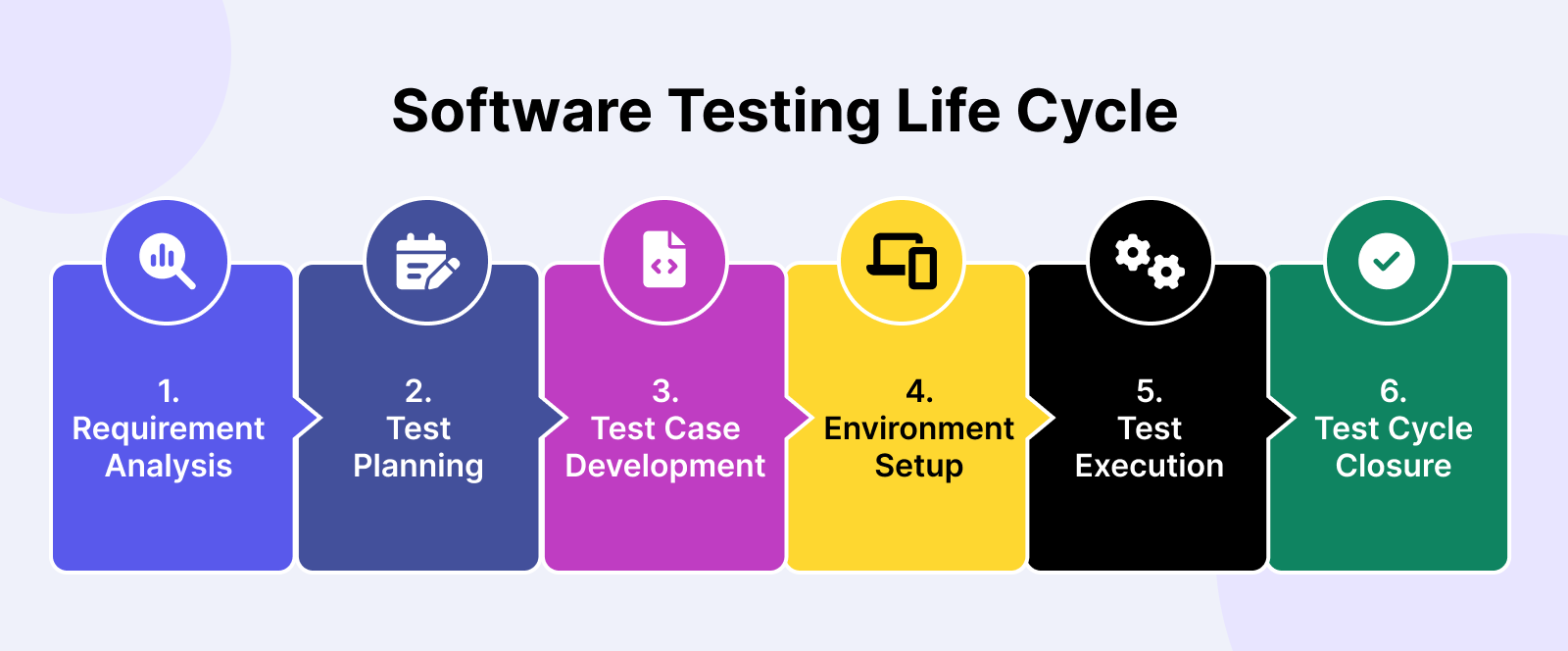
In my 2025 QA workflow, I still lean on the depth of manual testing—grounded in human intuition, attention to detail, and critical thinking—to uncover issues that automation might miss. Manual testing allows me to step into the shoes of the end user, explore real-world scenarios, and detect subtle usability or edge-case problems that scripts can overlook. Guided by the Software Testing Life Cycle (STLC), I follow a structured process to ensure consistency, traceability, and thorough coverage across every phase of testing, from requirement analysis to test closure. Each stage in the STLC plays a crucial role in shaping high-quality, reliable products and giving stakeholders the confidence that features are ready for release.
©️ Photo from Capital Commerce
- Requirement Analysis – I assess whether requirements are clear, testable, and complete, while uncovering edge cases before diving deeper.
Example: In Giti Tire’s redesign, I reviewed Figma mockups and functional specs to ensure elements like the “Find a Dealer” map, tire comparison tool, and homepage banners had clear display rules. For instance, I confirmed how many products should appear in the featured section and clarified what should happen if no featured products were available.
- Test Planning – I map out what to test, how, with which resources, and under what timeline, including deciding what to automate.
Example: For the redesign, I planned browser compatibility checks (Chrome, Firefox, Safari, Edge), mobile responsiveness testing, and regional content verification for Giti Tire’s international markets. Automated scripts handled repetitive link checks, while manual testing validated design accuracy and navigation flow.
- Test Case Development – I write detailed manual test cases (and automation scripts when appropriate), setting the stage for consistent, repeatable coverage.
Example: A test case for the product detail page included verifying that tire images loaded in high resolution, the “Specifications” tab displayed correct technical details, and all internal links navigated to the intended sections. I also created negative test cases, such as checking proper fallback messaging when content was unavailable.
- Test Environment Setup – I ensure a realistic test environment mirrors production closely—complete with data, configurations, and a quick smoke test to validate readiness.
Example: For staging, I loaded real tire SKUs, dealer addresses, and promotional banners to simulate launch conditions. I also verified that search results displayed correct tire models and dealers in each target region before starting full execution.
- Test Execution – I execute manual test cases, observe every nuance, log defects, and verify fixes as they come.
Example: While testing the redesigned homepage, I found that on Safari mobile, the main navigation overlapped with the Giti Tire logo when zoomed in. I logged it with screenshots and suggested CSS adjustments, then retested after the fix.
- Test Cycle Closure – I consolidate results, assess coverage against goals, and reflect on lessons to improve testing moving forward.
Example: After go-live, I documented all test findings, noted recurring UI alignment issues, and suggested expanding the device/browser test matrix for future redesigns. Post-launch analytics showed a drop in bounce rates on the tire search page, confirming improved user experience.
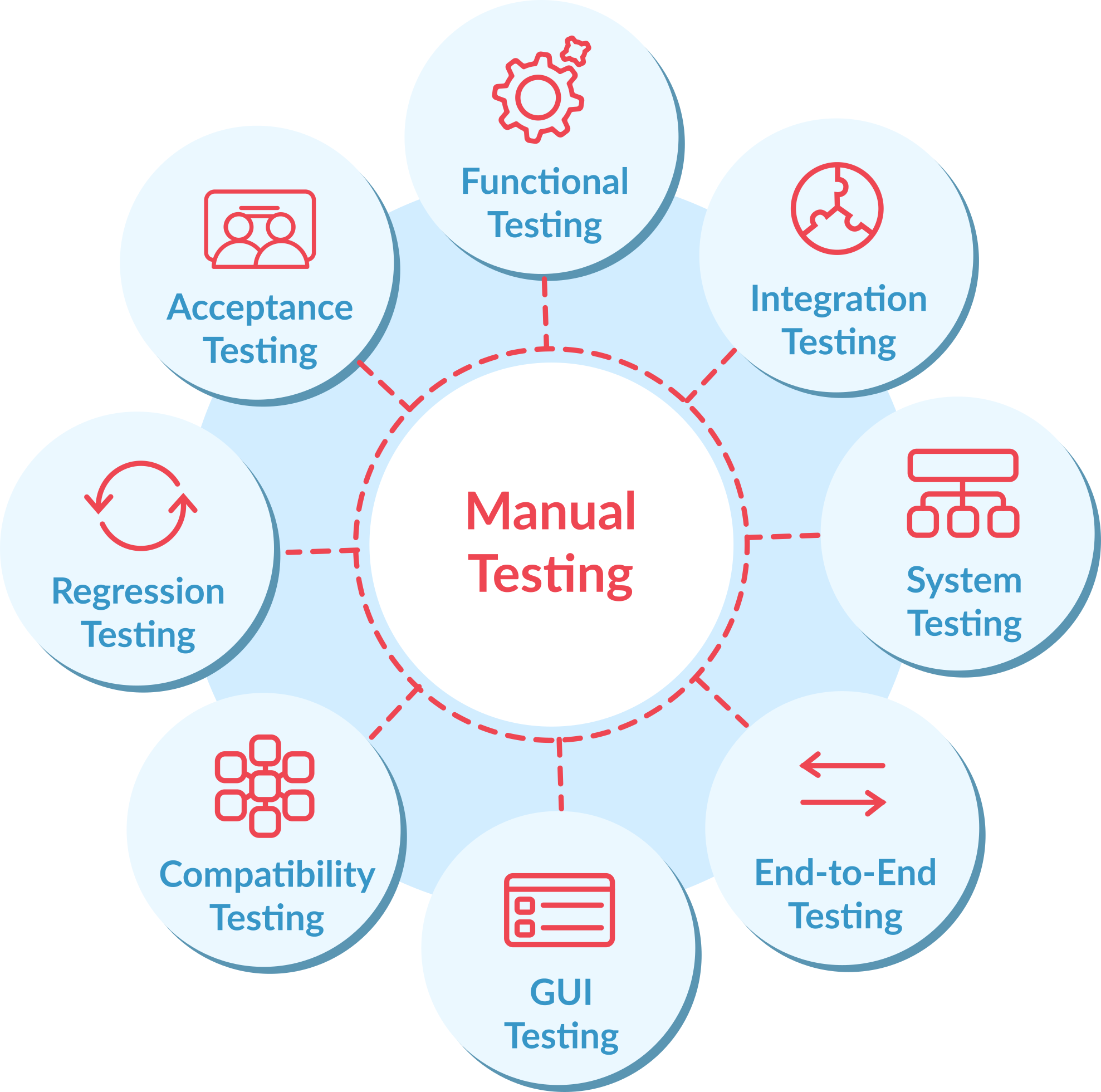
Common Types of Manual Testing I Use:
-
Functional Testing – Ensures each feature works according to the specifications and business requirements.
Example: Verifying that the “Find a Dealer” search on Giti Tire’s website accurately returns the correct locations and displays them properly on the map.
-
Exploratory Testing – Involves unscripted, creative exploration of the application to uncover hidden or unexpected bugs.
Example: Randomly resizing the browser window or switching between languages on the redesigned site to spot layout breaks or untranslated text.
-
Acceptance / UAT (User Acceptance Testing) – Validates if the software meets end-user needs and business objectives before release.
Example: Walking through the redesigned tire browsing flow with marketing stakeholders to ensure it aligns with Giti Tire’s customer experience goals.
-
Regression Testing – Confirms that new changes or fixes haven’t broken existing functionality.
Example: After updating the homepage banner carousel, re-checking the dealer search, product filters, and footer links to ensure they still work correctly.
-
Smoke Testing – Quick, high-level checks to confirm that critical paths are functional before deeper testing begins.
Example: On a new staging build, ensuring the homepage loads, navigation menus work, and tire detail pages open without errors.
-
Cross-Browser Testing – Verifies consistent behavior and appearance across different browsers, devices, and operating systems. We are using the developer tools and Browserstack
Example: Testing the redesigned site on Chrome, Safari, Firefox, and Edge, plus mobile browsers on iOS and Android, to ensure consistent layout and functionality.
-
Performance Testing – Evaluates responsiveness, stability, and scalability under various load conditions. For Giti Tire’s redesign, I also used GTmetrix to measure page load speed, Core Web Vitals, and overall performance scores, ensuring the site meets modern performance standards.
Example: Running GTmetrix tests on the homepage and tire search results page, then working with developers to address large image sizes and unused CSS that slowed load times.
©️ Photo from qawerk
Automation Testing
While manual testing gives me precision and insight, automation is my force multiplier—speeding up repetitive checks, boosting coverage, and catching regressions before they ever reach production. I began my automation journey with Selenium, but in 2025 I fully transitioned to Playwright for its speed, reliability, and modern features tailored for today’s web applications.
©️ Photo from TestTribe
Why Playwright Powers My Automation Today:
-
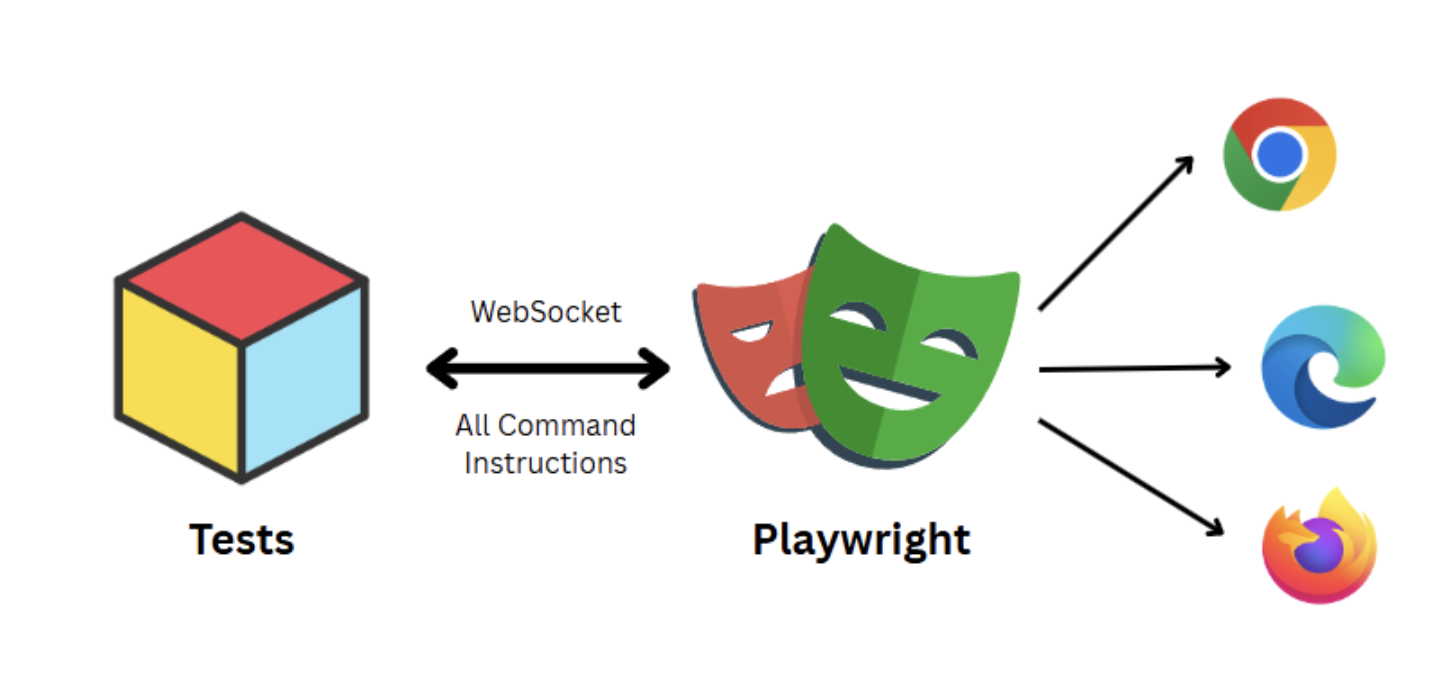
Cross-Browser & Cross-Platform by Default – Playwright lets me run the exact same tests seamlessly across Chromium, Firefox, and WebKit (Safari’s engine) without needing extra configuration or separate codebases, ensuring consistent user experience across all major browsers.
-
Lightning-Fast Execution – Its optimized architecture allows tests to run quickly and reliably, minimizing flaky results that often plague other frameworks, which means less time debugging and more time delivering quality.
-
Built-In API Testing – I can validate backend services alongside frontend UI flows within the same test suite, streamlining testing and improving end-to-end coverage without juggling multiple tools.
-
Auto-Wait & Smart Assertions – Playwright automatically waits for elements to be ready and provides rich assertion libraries, which dramatically reduces flaky tests and maintenance efforts caused by timing issues or UI delays.
-
Seamless Handling of Modern Web Apps – Whether it’s Single Page Applications (SPAs), dynamic content updates, or complex user interactions like drag-and-drop or infinite scrolling, Playwright’s modern architecture handles them natively without complicated workarounds.
How I Build & Maintain Automation Efficiently:
-
Using Cursor – This powerful AI-assisted tool helps me scaffold Playwright tests quickly, refactor existing scripts for better readability and performance, and maintain consistent coding styles across projects—accelerating development and lowering the barrier to entry for new team members.
-
Tight CI/CD Integration – Automated tests run with every code push or build on pipelines like GitHub Actions, Jenkins, or Azure DevOps. This continuous testing approach catches regressions early, prevents broken releases, and supports fast feedback loops with developers.
-
Balanced Test Strategy – I strategically use automation to cover fast, repetitive, and high-risk scenarios, maximizing coverage and speed, while reserving manual testing for exploratory, usability, and complex edge cases that require human intuition and creativity. This hybrid approach ensures both efficiency and depth in quality assurance.
Testing with AI
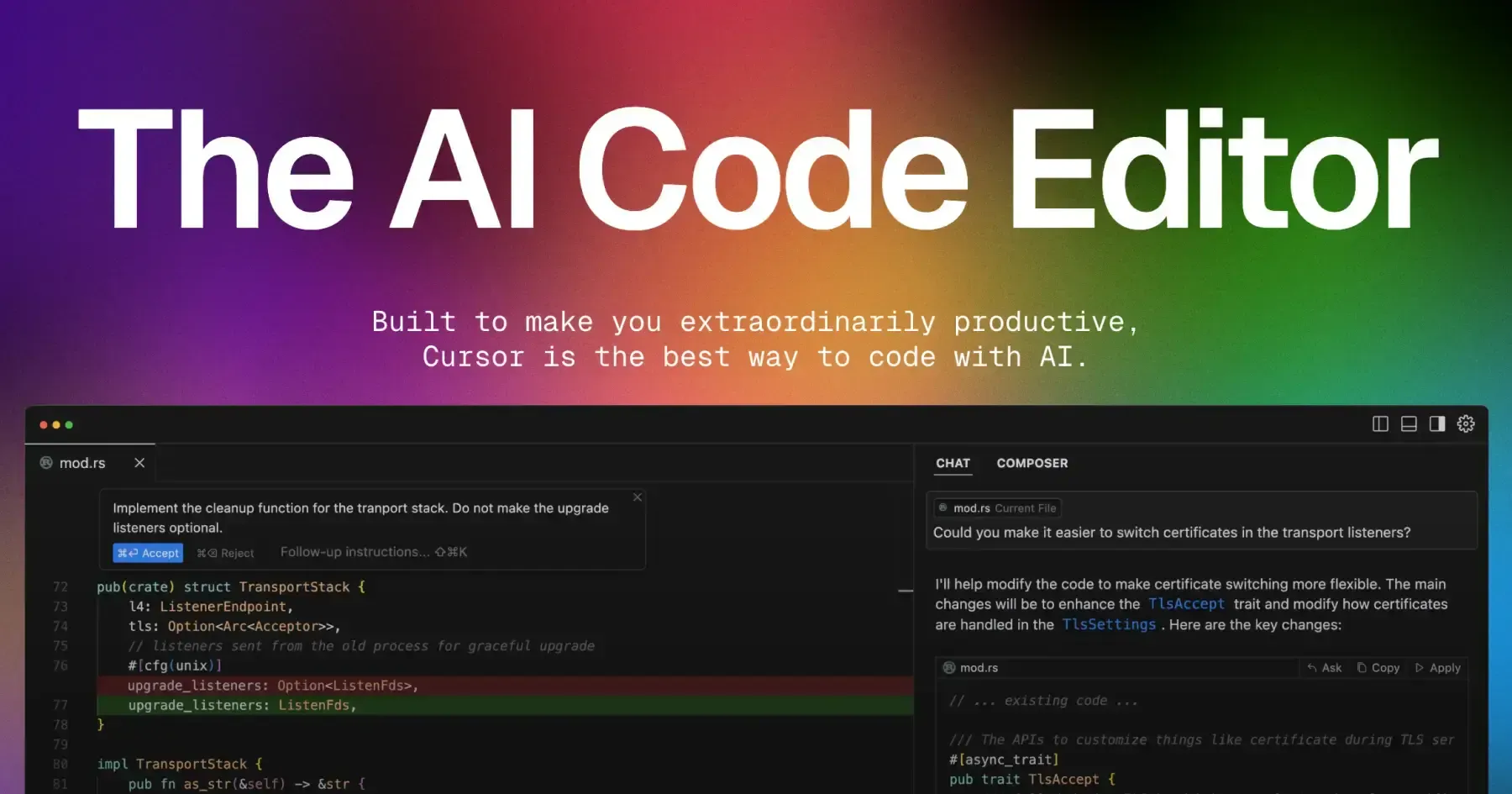
I’m currently using Cursor AI powered by the Claude Sonnet model to speed up test script creation and enhance overall testing efficiency. This advanced AI helps generate accurate test scenarios quickly, enabling faster smoke and regression testing cycles. Beyond just scripting, Cursor AI assists in refactoring existing tests to improve readability and maintainability, reducing manual overhead and human error. It also suggests edge cases and variations that might otherwise be overlooked, increasing test coverage and robustness. By integrating seamlessly into my Playwright workflow, Cursor AI empowers me to iterate rapidly and focus more on exploratory testing and complex validation, while routine test generation is handled smartly by AI.
©️ Photo from Cursor
The key benefits of integrating AI into my testing process include:
-
Accelerated script generation with minimal manual effort — AI tools like Cursor quickly produce high-quality test scripts based on requirements or existing code, dramatically reducing the time testers spend on routine scripting tasks.
-
Prioritization of high-risk test cases for early defect detection — By analyzing code changes, historical defect data, and usage patterns, AI helps identify which test cases pose the greatest risk, enabling focused testing that uncovers critical bugs sooner.
-
Improved test coverage through AI-suggested edge cases — AI algorithms can suggest less obvious scenarios and boundary conditions that manual test design might miss, enhancing the thoroughness of the testing process.
-
Anomaly detection using machine learning to catch unexpected issues — Machine learning models monitor test outcomes and application behavior to flag anomalies that don’t match normal patterns, providing early warning of hidden or intermittent defects.
-
Optimized testing workflows by focusing on impactful tests — AI helps streamline the test suite by recommending which tests to run or skip based on recent changes and test history, saving time and resources while maintaining quality.
-
Plans to implement AI Agents for autonomous test execution and self-healing scripts — Looking ahead, I aim to leverage AI-driven agents that can execute tests independently, adapt to UI changes by self-healing broken scripts, and provide continuous validation with minimal human intervention.
Conclusion
Combining Manual testing, Automation, and AI creates a balanced and powerful QA approach that leverages the strengths of each method. This synergy enables faster, smarter testing and ensures higher quality software in today’s complex development landscape. Embracing this trio is key to staying competitive and delivering exceptional user experiences in 2025 and beyond.


 2026-06-15 - Cybersecurity
 2026-05-13 - Digital Marketing
 2026-03-11 - Cybersecurity