Private Chats in 2025: Which App Can You Trust?
If you’re serious about privacy this year, you’re probably already using something like Signal or thinking about ditching WhatsApp, but how do these apps really stack up – and what happens when you run your own private server with Mattermost? Let’s dig in.
Signal
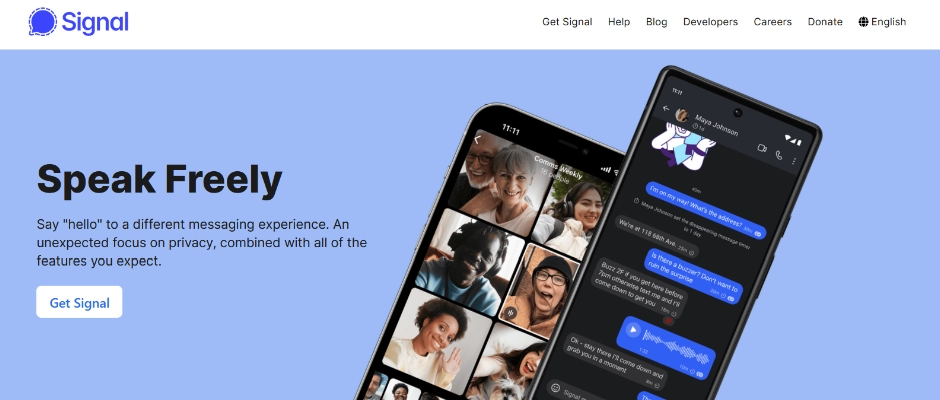
When one hears the term private messaging, most will typically think of Signal first. It’s open-source, has end-to-end encryption by design and collects very little metadata, basically just your phone number.
However, the Pentagon warned of a Signal messenger application vulnerability in a department-wide memo on March 18, 2025. The document made clear that the “linked devices” function was being used by Russian professional hacking groups to eavesdrop on encrypted conversations.
Signal responded to these concerns by clarifying that the memo referred to phishing scams targeting Signal users, not a flaw in Signal’s encryption technology. They emphasized that the core technology remains secure and that users should remain vigilant against phishing attempts.
Signal’s commitment to privacy is unmatched among mainstream messaging apps. It operates under a nonprofit model, funded by grants and donations, meaning it doesn’t have a commercial incentive to mine user data. The encryption protocols used by Signal are considered the gold standard and have event been adopted by giants like WhatsApp and Skype for their own messaging features.

A major advantage is Signal’s “sealed sender” feature, which hides even metadata about who is messaging whom. Its recent addition of usernames, removing the need to share phone numbers directly, is a step toward improving anonymity – although the requirement of a phone number at account creation still remains a point of friction for privacy purists.
Critics have occasionally noted that Signal relies on centralized infrastructure. If Signal’s servers go offline, communication among users theoretically could be broken. There have been attempts made to decentralize portions of the network, but that isn’t yet realized.
Highlights:
- End-to-end encryption
- Minimal metadata collection
- Open-source and independently audited
- Sealed sender feature for extra privacy
Downsides:
- Requires a real phone number for registration
- Backups must be encrypted manually to prevent potential leaks
- Centralized server model raises resilience questions
- Recent advisories have raised concerns about potential vulnerabilities, emphasizing the need for user vigilance
Signal is a great choice for people who want privacy without compromising on usability. It’s ideal for secure everyday conversations, journalists, activists, and anyone requiring serious confidentiality. But for users looking for genuine anonymity (not privacy), they will likely end up using something more decentralized like Session or Briar.
Telegram
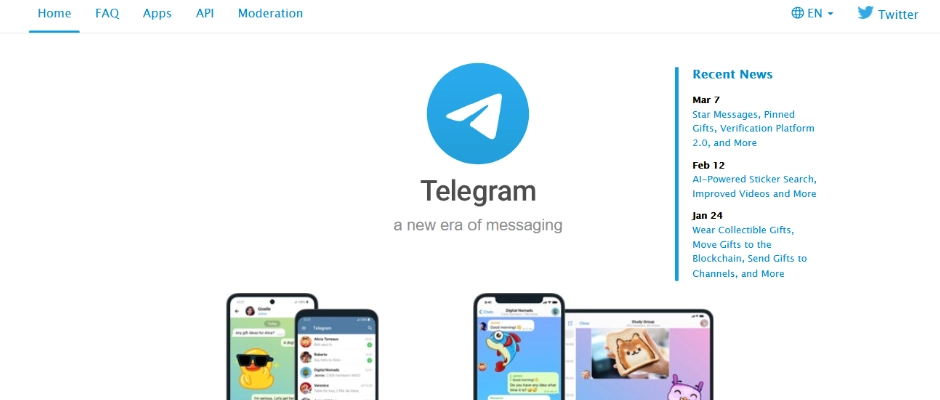
Telegram positions itself as secure alternative to other messaging services, but the reality is a little more nuanced. Standard conversations on Telegram do not have end-to-end encryption – only “Secret Chats” do, and they have a slightly awkward feel to them. It has the benefit of being extremely fast, enabling the sharing of big files, and supporting groups or channels with hundreds of thousands of members. It has a following among communities with a need for big group coordination, influencers for broadcasting updates, and tech-savvy users preferring the platform’s flexibility.
Telegram also offers features like bots, polls, scheduled messages, and customizable interfaces, giving users more control compared to simpler apps like Signal. Its seamless syncing capacity across multiple devices is a major plus point, particularly for users that switch between phones, tablets and desktops.

However, the security model has drawn criticism. Telegram keeps your conversations on its cloud servers by default, which theoretically provides access for the company. Although they assert that they distribute encryption keys across jurisdictions, skeptics predict that a determined country-level entity could coerce Telegram into surrendering information. Additionally, the server-side code remains closed-source, meaning users have to trust Telegram’s word rather than independently verify its operations.
The company’s relocation to Dubai after pressure from Russian authorities adds another layer of concern for users with specific threat models. Dubai’s regulatory environment lacks strong data protection standards, raising questions about potential government influence.
Why people love it:
- Speed and efficiency
- Support for massive groups and channels
- Seamless cross-device synchronization
- Feature-rich environment for power users
But be cautious:
- Default chats lack end-to-end encryption
- The server-side code is proprietary
- The company is based in Dubai, which may raise concerns depending on your threat model
- Cloud-based architecture means trusting Telegram’s infrastructure
Telegram is often the “gateway” app into encrypted messaging. However, if privacy is your number one concern, Telegram’s standard chat isn’t good enough. It's great for groups, updates, and even business marketing, but for sensitive conversations, you’re better off elsewhere.
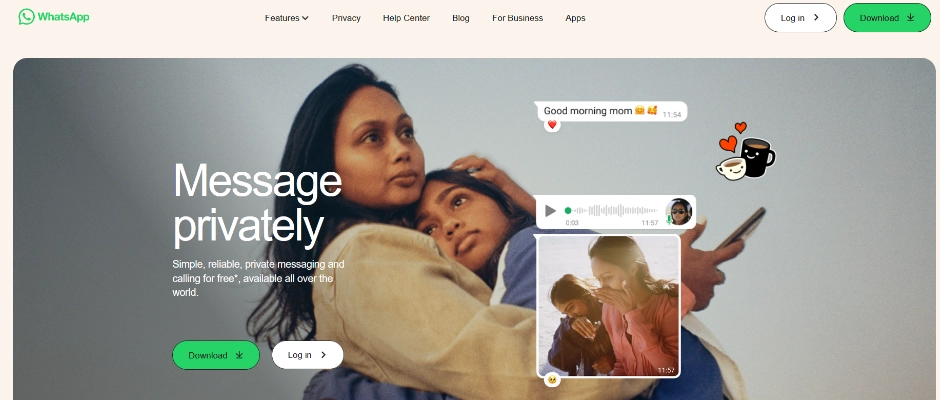
A Meta company, WhatsApp continues to be one of the most widely used messaging apps globally. Its primary privacy feature includes encryption, which is enabled by default for calls and messages.
However, concerns persist regarding metadata collection. Although WhatsApp cannot access your messages, it collects data regarding your contacts, message timestamps, IP address, device information, and usage patterns, much of which is shared with Meta and can be used for targeted advertising or analytics.
Furthermore, the lack of CRM assistance on WhatsApp makes it less suitable for business. It doesn’t fit into professional workflows like platforms such as Slack or Mattermost do, although businesses do utilize WhatsApp Business for limited customer service.

In 2024, WhatsApp introduced “Chat Lock” features and optional passcodes for private chats, with the aim of increasing user confidence. Despite these upgrades, the fact that WhatsApp’s codebase is not fully open-source continues to generate skepticism among security experts. Users must trust Meta’s implementation without full independent verification, a deal-breaker for many in the privacy community.
Suitable for:
- Everyday conversations with friends and family
- Groups where participants are already using WhatsApp
- Light business communication via WhatsApp Business
Less ideal for:
- Discussions involving sensitive information
- Users concerned about extensive metadata collection by a tech giant
- For businesses requiring CRM integration
WhatsApp’s strength comes from its sheer presence, so finding anyone without the app installed is rare. But for users who prioritize privacy as a principle rather than just a feature, WhatsApp feels increasingly out of step with the 2025 landscape. Its trust-over-transparency model leaves key gaps especially when compared to open-source alternatives.
Overall, while WhatsApp offers strong encryption for casual chats, it struggles to fully meet the expectations of privacy-conscious users in 2025, especially those skeptical of Meta’s broader data collection practices.
Mattermost
For those seeking maximum control over their communications, self-hosting a messaging platform like Mattermost is an interesting choice. I set up Mattermost on an Ubuntu server and integrated Jitsi for video calls.
The process involved:
- Setting up an Ubuntu VPS
- Installing Mattermost and Jitsi
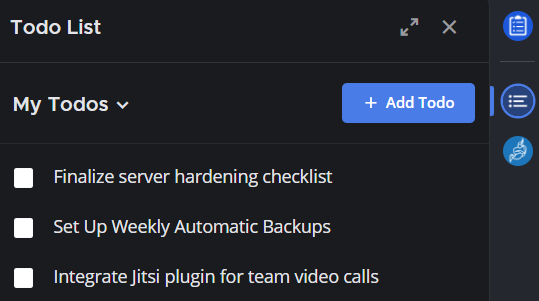
- Adding plugins like ToDo (for task management) and Jitsi Meetings (for seamless video conferencing)
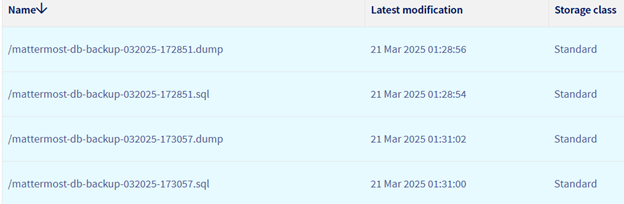
- Configuring automatic backups to OVH Cloud to safeguard data in case of hardware failure or misconfiguration.
Server Setup Screenshots
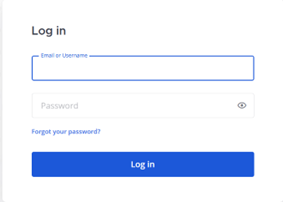
- Accessing the self-hosted Mattermost platform through the login interface.
- Integrated Jitsi Meet plugin inside Mattermost, enabling quick and secure video calls.
- Managing personal and team tasks inside Mattermost using the ToDo plugin.
- Automated server backup configuration to OVH Cloud for disaster recovery.
Advantages:
- Complete ownership and control over your data
- No dependency on third-party servers for messaging
- Secure, external backups reduce the risk of permanent data loss
- In-depth customization via plugins and integrations
Challenges:
- Requires ongoing server maintenance (updates, patches, monitoring)
- Self-hosted servers can easily handle small teams, but if user counts grow (especially with Jitsi video calls), you’ll hit performance limits.
- As plugins get updates, they might break compatibility with your Mattermost server version.
- Careful staging and testing of updates are necessary to prevent downtime.
Beyond control, Mattermost offers unique flexibility. It can integrate seamlessly with developer tools like like Jira, GitLab, and Jenkins, making it a powerful hub for technical teams. When self-hosted, Mattermost also makes it easier to meet compliance requirements like HIPAA or GDPR more easily, as you can directly manage where and how your data is stored.
However, security is only as good as the admin’s diligence. Unlike a managed SaaS platform, you’re responsible for hardening the server, setting up firewalls, enforcing TLS encryption, configuring user permissions properly, and ensuring regular audits.
Mattermost really shines for internal teams that prioritize control over simplicity. It’s less flashy than Slack or Discord, but with the right customization, it brings serious power. That said, casual users might find the setup too complex unless it’s pre-configured for them. Organizations without deep technical expertise should also factor in the potential costs of external IT support or managed hosting to keep the system secure and running smoothly.
Other Emerging Private Messaging Apps
If you want other alternatives beyond the usual names, keep an eye on these rising players:
Session
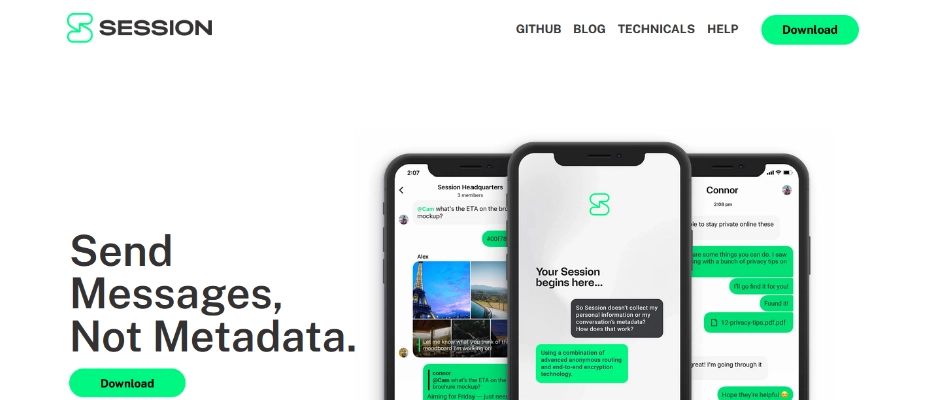
Session is an up-and-coming contender that looks and feels like Signal but requires no phone number. Instead, it operates using a decentralized onion-routing network similar to Tor. All messages are end-to-end encrypted, and metadata is kept to an absolute minimum.

Pros:
- No phone number or email needed
- Decentralized network
- Open-source and privacy-focused
Cons:
- Slightly slower delivery times compared to Signal
- Smaller user base
Session is ideal for activists, journalists, and users in high-risk environments. It trades a bit of speed for near-total anonymity, which might be worth it depending on your threat model.
Since Session doesn’t rely on centralized servers, it’s much harder for a single authority to shut it down or surveil users at scale. Your “Session ID” replaces the need for a phone number, dramatically lowering the risk of linking your real-world identity to your conversations. This makes it especially useful in countries with heavy internet censorship or where using apps like Signal could raise red flags.
That said, decentralization comes with tradeoffs. Features like syncing across devices can feel clunky, and the app itself isn’t as polished as more mature competitors. Voice and video calls are available but may not be as reliable under poor network conditions.
For users willing to accept a few rough edges in exchange for extreme privacy, Session is a really strong option. But for it to catch with a wider audience, it still has some work to do, especially when it comes to improving performance and growing its user base.
Briar
Briar is another strong option built for resilience. Instead of relying on central servers, it uses direct Bluetooth, Wi-Fi, or Tor connections. It’s more niche but it can be a lifesaver in situations where the internet is heavily restricted.
Pros:
- Peer-to-peer messaging with no central servers
- Works without internet (over Wi-Fi/Bluetooth)
Cons
- Very basic feature set
- Designed primarily for emergency use
Briar isn’t a daily driver for most people but could be a literal lifeline during internet blackouts, protests, or authoritarian crackdowns.
Unlike most messaging apps, Briar is designed to function independently of the global internet. If mobile networks or Wi-Fi are unavailable, it can still sync messages directly between nearby devices using Bluetooth or local Wi-Fi connections. This makes it uniquely suited for crisis zones, natural disasters, or any situation where traditional communications fail.
Its minimal feature set, text messaging, basic group chats, and blogs is intentional. Fewer features mean fewer vulnerabilities. Security-wise, Briar encrypts everything end-to-end and stores data only on the user’s device, minimizing exposure even if a phone is seized.
However, Briar’s decentralized, offline-first design also limits its mainstream appeal. There’s no cloud backup, no seamless cross-device use, and no flashy multimedia sharing. Battery drain can also be an issue if Bluetooth and Wi-Fi stay constantly active.
In short, Briar is a specialized tool, critical for resilience and survival situations, but not meant to replace everyday messaging apps.
Other Self-Hosted Competitors to Mattermost:
Rocket.Chat
Rocket.Chat offers a polished Slack-like experience with a strong focus on security. You can host it yourself or pay for a managed cloud instance.
Pros:
- Self-hosted or hosted options
- LDAP, OAAuth2, and two-factor authentication support
- Open-source
Cons:
- Higher resource usage than Mattermost
- Requires careful configuration for full security
Rocket.Chat feels more “corporate” out of the box, great if you’re managing a medium-sized business or a tech-savvy community.
Out of all the open-source messaging solutions, Rocket.Chat arguably comes closest to replicating the sleek feature-rich experience of platforms like Slack or Microsoft Teams. With its flexible setup, organizations can customize Rocket.Chat to match their workflows and branding needs, creating a cohesive experience across teams. It supports voice and video calls, extensive app integrations, and full theming capabilities, which makes it appealing for business that want a highly branded and controlled communication environment.
However, with great flexibility comes complexity. Rocket.Chat demands more from server resources, especially when scaling up to hundreds of thousands of users, and securing it properly involves managing OAuth providers, content security policies, federation settings, and constant updates.
Another bonus is its going support for federation via the Matrix protocol, which could make Rocket.Chat even more future-proof as decentralized communications become more popular.
For organizations with dedicated IT teams or admins comfortable managing self-hosted infrastructure, Rocket.Chat is an impressive scalable solution. For smaller groups or less technical users, the setup and maintenance might be more effort than its worth compared to simpler options.
Matrix
Matrix is a protocol rather than an app, but when paired with the Element client, it becomes one of the most powerful decentralized messaging systems available.

Pros:
- True federation (like email)
- Full end-to-end encryption
- Bridges to Slack, Discord, Telegram, and more
Cons:
- Complex setup
- Federation can introduce reliability tradeoffs
Matrix is like building your own private WhatsApp network. It’s more of a project than a simple app install, but if you get it right, it’s incredibly flexible and future-proof.
Synapse, the main Matrix server implementation, can be installed on your own infrastructure, letting you fully control your communications. Once deployed, you can invite other servers to connect, creating a massive federated network, much like how email works between Gmail, Outlook, and other providers.
Element, the most popular Matrix client, provides a modern, polished experience with features like threaded conversations, spaces (like Slack channels), and voice/video calls.
What really sets Matrix apart is its bridging capability, you can connect to other platforms like Slack, Discord, and even SMS, creating a unified communications hub.
That said, federation comes with challenges, Different homeservers may vary in reliability or policy, and setting up encryption, spam protection, and secure bridges demands technical, know-how. It’s also resource-intensive compared to simpler messaging apps.
Matrix is ideal for highly technical teams, organizations that demand sovereignty over their communications or communities that want to future-proof themselves against centralization risks. With the right setup, Matrix can replace not just chat apps but entire collaboration ecosystems.
Final Thoughts
There’s no one-size-fits-all solution for private messaging, each platform comes with its own strengths, weaknesses, and ideal use cases.
Signal remains a strong choice for everyday private messaging, offering end-to-end encryption, minimal metadata collection, and open-source transparency. However, users should stay alert to phishing risks and understand that Signal’s reliance on a phone number and centralized servers may not suit those seeking absolute anonymity or maximum resilience.
Telegram offers speed, massive group capabilities, and a polished interface but makes significant security trade-offs. Standard chats aren’t end-to-end encrypted by default, and metadata handling practices aren’t as tight as they could be. It’s great for casual communities but not ideal for sensitive conversations.
WhatsApp provides default end-to-end encryption based on Signal’s protocol, making it solid for private chats among friends and family. Still, metadata collection and sharing with Meta raise ongoing privacy concerns, something that more cautious users should consider.
For those willing to take more control, Mattermost and Rocket.Chat, allow you to self-host your communications. Mattermost is more lightweight and flexible but demands regular maintenance while Rocket.Chat feels more enterprise-ready out of the box at the cost of slightly higher resource usage and configuration complexity.
If maximum anonymity is your goal, Session and Briar push further. Session removes phone numbers and decentralizes routing through an onion network, trading some speed for true pseudonymity. Briar, on the other hand, operates without relying on the internet, syncing directly over Bluetooth or Wi-Fi, making it invaluable during blackouts or censorship events.
Finally, Matrix (paired with the Element client) offers an incredibly powerful decentralized and federated messaging system. It’s flexible and future-proof, but the initial setup can be complex, and federation introduces some reliability trade-offs.
In short:
- If you want secure, user-friendly daily messaging, Signal still leads, with some caveats.
- If you prioritize speed and community building, Telegram or WhatsApp might suit you, understanding the metadata risks.
- If you want full control and are comfortable managing infrastructure, Mattermost, Rocket.Chat or Matrix offer flexible, customizable platforms.
- If you need true anonymity or resilience against internet disruptions, Sessions or Briar are worth serious consideration.
Your best choice ultimately depends on your specific needs, threat model, and your willingness to trade off convenience for security or autonomy.
Exzel DeLa Pena
Exzel DeLa Pena
Exzel is a highly qualified and experienced cybersecurity analyst and practitioner, working in both red and blue team security roles. Recently he has been specializing in the engineering of advanced defensive solutions to protect corporate environments, data and users.
Ready to Get Secure?
The SEIRIM team of professionals is at your service to design, develop and deliver better cybersecurity for your organization.
let’s connect
Embrace a Powerful Password Paradigm
Nearly everything we need to secure includes some password protection, so it’s critical to get it right.
It’s especially true in the workplace, where a simple password can be the only thing standing in the way of malicious hackers and your company’s valuable data.
-
2021-09-17 - Cybersecurity
SEIRIM Named one of worlds top 250 Managed Security Service Providers
-
2021-07-13 - Cybersecurity
Ransomware Prevention 101
-
2021-07-05 - Cybersecurity
Introducing Cyber.Report Cybersecurity News and Discussion Board